
The short answer
To stop a Brinks IQ Panel beeping, swipe down, tap the alert, tap Acknowledge and enter your code; to reboot, go to Settings → Advanced Settings → Panel Reboot. Out of contract or quoted a new system? Independent help at (888) 207-7106.
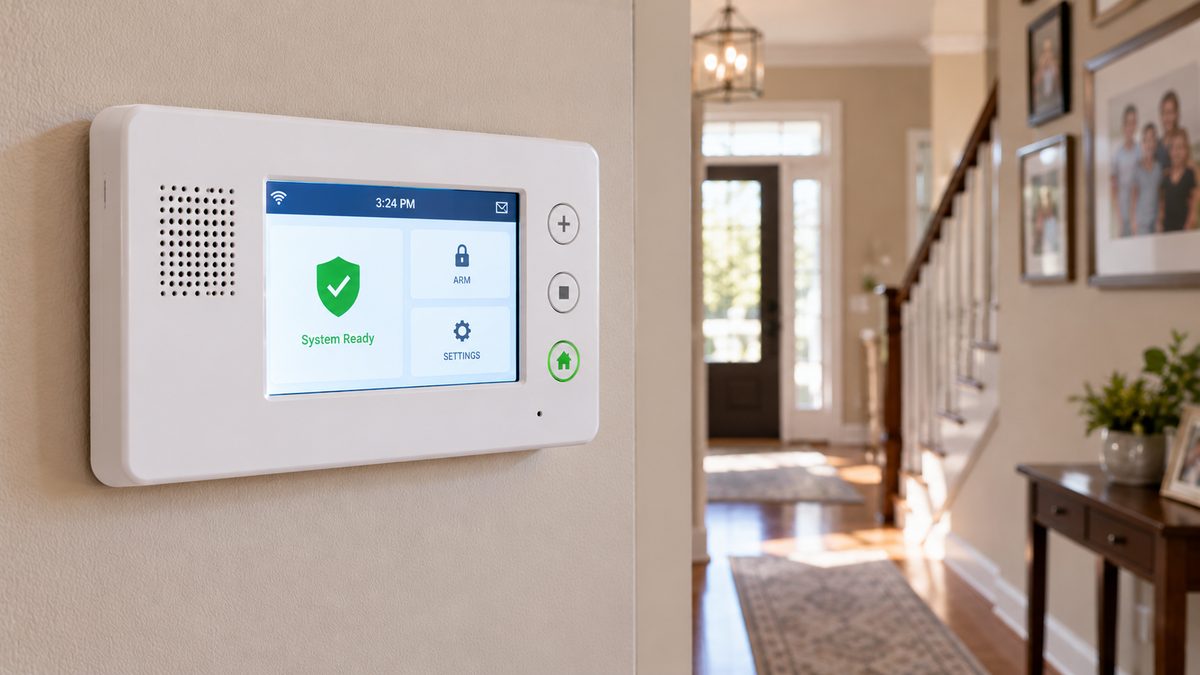
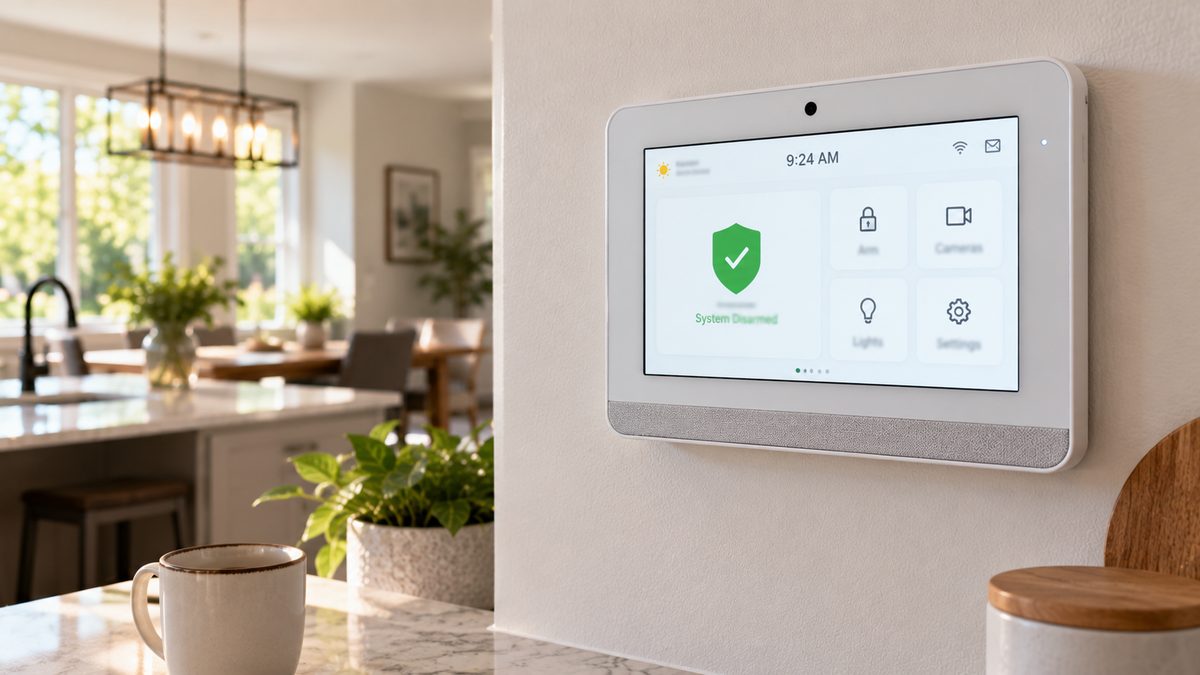
If your Brinks Home panel is a white 7-inch touchscreen with a camera dot at the top and a speaker at the bottom, it's a Qolsys IQ Panel - IQ Panel 2 or 2+ (2016-2021) or IQ Panel 4 (2021 onward). Brinks didn't make it; Qolsys (owned by Johnson Controls) did, and the same panel is sold by hundreds of Alarm.com dealers. That matters, because it means the panel is not locked to Brinks the way Vivint and ADT Command panels are: any Alarm.com dealer can take it over, and most fixes below need no dealer at all.
Beeping right now? Swipe down from the top of the screen (or tap the yellow/red alert icon) to read the trouble, tap Acknowledge or OK and enter your code. The beep stops; the message tells you which section below to read.
Who to call - two different numbers for two different jobs
Brinks Home Customer Care: 1-800-447-9239
Brinks' own line. We are not Brinks Home and cannot access your account. Not with Brinks? Call the dealer on the sticker on your panel - the IQ Panel is sold by many companies.
CompareYourSecurity specialists: ☎ (888) 207-7106
Free second opinion on fixing vs. replacing, and which companies will monitor your existing IQ Panel for $15-$30/month with no contract.
This is an independent guide - we are not Brinks Home, Qolsys, Johnson Controls or Alarm.com, and we don't repair or sell these panels. If you'd rather talk it through: ☎ (888) 207-7106 or the free 60-second assessment.
IQ Panel beeping: what each trouble message means
Stuck after these steps? Independent help (not Brinks): ☎ (888) 207-7106
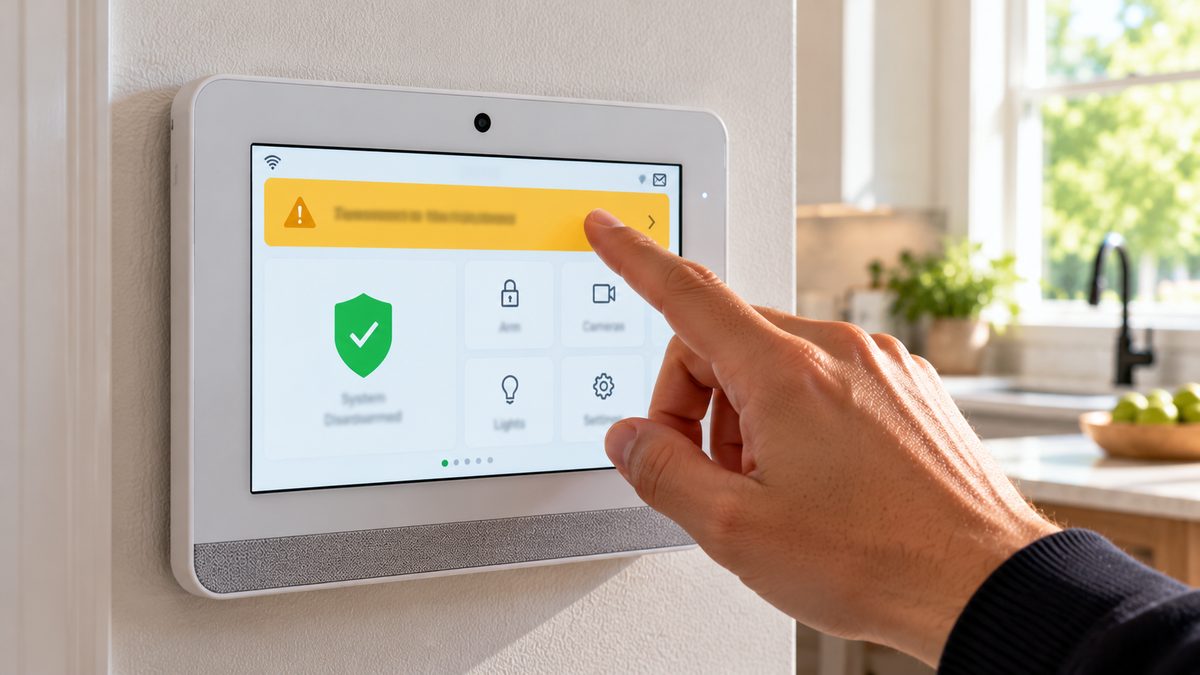
The IQ Panel speaks its troubles aloud and shows them in the alerts tray. The common ones:
- "AC power failure" / plug icon with a line - the panel is running on its battery. The power adapter is unplugged, the outlet is dead, or the thin cable to the panel is damaged. Fix the power; the message clears itself. Four hours on battery and it starts the low-battery sequence too.
- "Panel low battery" - the internal lithium pack is below threshold. After an outage, give it 24 hours on AC. If it returns with power connected, the pack is worn (3-5 years) - see the battery section.
- "[Sensor name] low battery" - a wireless sensor's own battery. IQ door/window sensors take a CR2032 or CR2; motions and glass-breaks CR123A. Open the sensor, swap, close; the message clears within an hour.
- "[Sensor name] not responding" / "Sensor supervision" - the panel hasn't heard from that sensor in its check-in window. Dead sensor battery (most often), sensor fallen off the frame, or range. Change the battery first.
- "Tamper" (panel or sensor) - a cover is open. Panel tamper fires if the panel is lifted off its mount; sensor tamper if a cover isn't clicked shut.
- "Cellular failure" / "Dual-path failure" / "Communication failure" - the panel can't reach Alarm.com over LTE and/or Wi-Fi. If Wi-Fi only: fix the router. If cellular: wait 30 minutes, then reboot. Persistent cellular failure on an IQ Panel 2 from 2016-2018 can be an older LTE module losing coverage; a dealer can swap the radio card.
- "Z-Wave device not responding" - a lock, thermostat or light has dropped off. Not a security fault; run Settings → Advanced → Z-Wave → Repair Network.
- "Z-Wave device not responding" on an IQ Hub works the same way.
- Chirp every time a door opens - that's the chime, not a trouble. Tap the bell icon on the home screen to silence it.
Silence any trouble: swipe down → tap the alert → Acknowledge (some firmware: OK or Clear) → your user code. Troubles return every 4-12 hours until the cause is fixed. To stop trouble beeps at night, Settings → Sound → Trouble Beeps lets you turn them off (the alert stays visible).
Not sure which system you need?
Answer a few quick questions and we'll match you with a top-rated provider for a free, no-obligation quote — or compare our top picks yourself.
How to reboot, power down and reset an IQ Panel (with and without a code)
Stuck after these steps? Independent help (not Brinks): ☎ (888) 207-7106
Reboot from the screen (fixes frozen apps, offline status, Z-Wave hangs): swipe down → Settings → Advanced Settings → enter your master code (the installer code also works) → Panel Reboot → confirm. Takes 1-2 minutes. Nothing is erased.
Power down properly: same path, Power Down instead of Reboot. Do this before unplugging the panel for any reason - pulling power on a running IQ Panel can corrupt its storage.
Reboot without a code (screen frozen / you don't know any code):
- Unplug the power adapter (a small block in an outlet near the panel; the cable runs up inside the wall or along the trim).
- Lift the panel off its wall bracket (push up and tilt the bottom out). On the back, remove the small screw(s) on the battery cover, open it, and unplug the battery's white connector. (IQ Panel 4: the cover is the whole lower back section.)
- Wait 30 seconds. Reconnect the battery, close the cover, remount, plug the adapter back in. Boot takes 2-3 minutes.
This does not change any codes or settings, and the panel reconnects to Alarm.com by itself. Your monitoring company gets a power-loss and restore signal - normal.
Factory reset ("master reset"): Settings → Advanced Settings → (installer or dealer code) → Panel Settings → Master Reset. It erases every sensor, user and setting and requires the installer or dealer code. There is no reset-without-password on an IQ Panel - that's deliberate. If you've inherited a panel with no codes, the fix is a dealer (Brinks or any Alarm.com company) resetting the dealer code from Alarm.com's side, which they can do in minutes once the panel is on their account. A factory-reset IQ Panel is not a brick - unlike Vivint or ADT Command, any Alarm.com dealer can re-provision it.
Default codes (change them if yours still work): master 1234, installer 1111, dealer 2222. Brinks and most dealers change the dealer and installer codes. Your master code is yours; change it under Settings → Advanced Settings → User Management.
IQ Panel battery replacement (IQ Panel 2 and 4)
Stuck after these steps? Independent help (not Brinks): ☎ (888) 207-7106
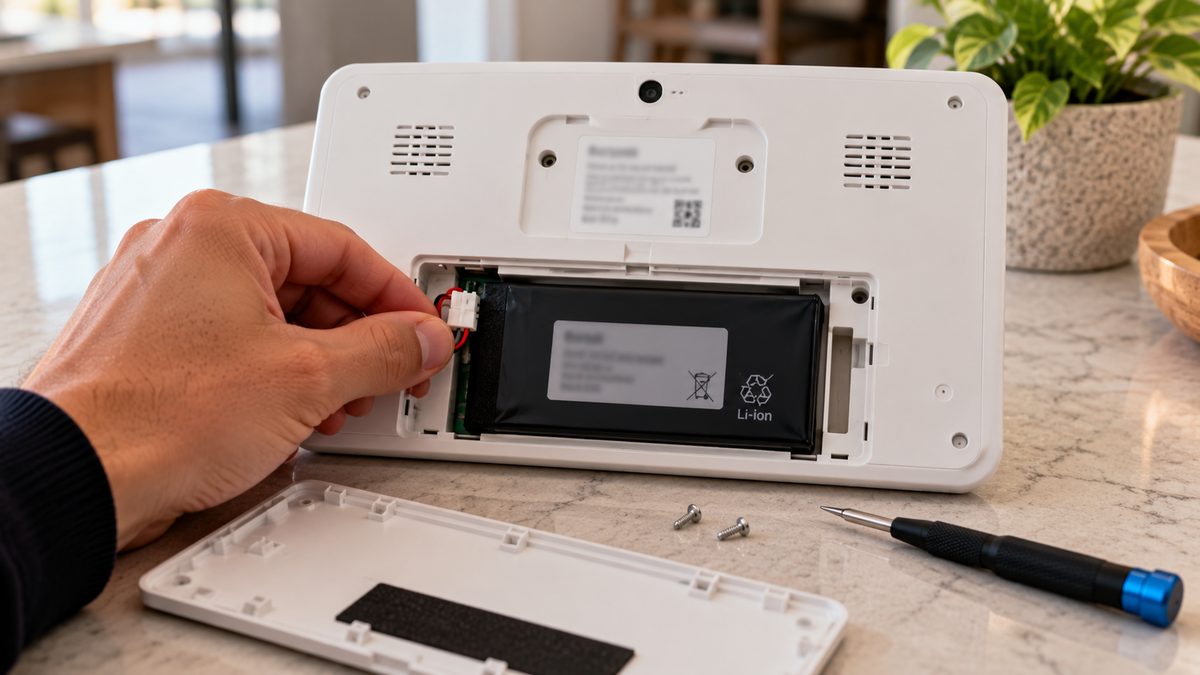
The panel's backup is a flat lithium-ion / lithium-polymer pack (about 3.7-3.8 V, 3,000-4,000 mAh depending on model and revision). It lasts three to five years, and the symptom of a worn one is "panel low battery" that keeps returning even though the adapter is plugged in, or a panel that reboots or dies in a brief power blip.
- Put the system on test with your monitoring company (or accept they'll see a power-loss signal), then Power Down from Advanced Settings.
- Unplug the power adapter. Lift the panel off the bracket.
- Remove the battery cover screw(s) on the back, open the cover, unplug the pack's white connector, lift the pack out (it may be lightly taped).
- Connect the new pack, seat it, close the cover, remount, plug in the adapter, and press the power button on the side/top for a few seconds if it doesn't start on its own.
- Expect "panel low battery" for a few hours while the new pack charges.
Which pack: the part number is printed on the old pack - IQ Panel 2 and 2+ use one family, IQ Panel 4 another, and there are revisions within each, so match the number rather than guessing. Genuine Qolsys packs are $35-$60 online; avoid no-name packs with the wrong connector or voltage. Brinks Home supplies them under warranty for customers and may charge a service visit otherwise - which is where a $40 battery becomes a $150 job or a pitch for a new panel on a new contract. If that's the conversation you're having, get a free independent read first: ☎ (888) 207-7106.
IQ Panel offline, Wi-Fi, and the Brinks / Alarm.com app not connecting
Stuck after these steps? Independent help (not Brinks): ☎ (888) 207-7106
The IQ Panel talks to Alarm.com two ways: its built-in LTE radio (always, for alarm signals) and your Wi-Fi (for video, fast app updates and firmware). The Brinks Home app is an Alarm.com app with Brinks branding, so "app can't connect" and "panel offline" are Alarm.com-side problems:
- Changed your router or Wi-Fi password? The panel is still trying the old network. Settings → Advanced Settings → (code) → Wi-Fi → pick the new network → enter the password. The IQ Panel 2 is 2.4 GHz only; the IQ Panel 4 does both bands.
- App says "panel offline" but the panel works at the wall - usually the LTE path. Swipe down and look for a cellular failure alert; reboot the panel; if it persists for hours, the radio card or coverage is the issue and the dealer needs to look.
- App won't log in - this is your account, not the panel: reset the password from the app's login screen, or call Brinks. If your account was closed (cancelled, or a dealer switch), the app stops working even though the panel is fine.
- Everything works except cameras / doorbell - cameras connect to your Wi-Fi directly, not through the panel. Power-cycle the camera and check it's on the same network.
Leaving Brinks? Because the IQ Panel runs on Alarm.com, a new Alarm.com dealer can take over the whole system - panel, sensors, cameras, Z-Wave devices - usually for a one-off $50-$150 and $15-$30 a month, keeping the same app with a different logo. Brinks' own retention offer may beat that; get both numbers before you decide. Read repair or replace for the maths, or call ☎ (888) 207-7106 for an independent list of takeover-friendly companies in your area. Older Brinks systems (grey keypad, two-letter codes) are a different animal - see old Brinks alarm keeps beeping.
Frequently asked questions
How do I stop my IQ Panel from beeping?
Swipe down from the top of the screen, tap the alert, tap Acknowledge (or OK) and enter your code. The trouble returns every few hours until its cause - power, battery, a sensor or communication - is fixed. Still stuck after that? Independent help (not the alarm company) is at (888) 207-7106.
How do I reset a Qolsys IQ Panel?
Reboot: Settings → Advanced Settings → master code → Panel Reboot. Factory (master) reset needs the installer or dealer code under Panel Settings and erases everything. Without any code, you can only power-cycle it by unplugging the adapter and battery. Still stuck after that? Independent help (not the alarm company) is at (888) 207-7106.
How do I reset an IQ Panel 2 without a password?
You can't factory-reset it without the installer or dealer code. A power cycle (adapter and battery unplugged for 30 seconds) reboots it without a code and keeps all settings. If you've inherited the panel, any Alarm.com dealer can reset the codes once it's on their account.
What is the default installer code for an IQ Panel?
Installer 1111, dealer 2222, master 1234. Brinks Home and most dealers change the installer and dealer codes during installation.
How do I replace the IQ Panel battery?
Power down from Advanced Settings, unplug the adapter, lift the panel off its bracket, remove the battery cover on the back, swap the lithium pack (match the part number on the old one), reassemble and power on. Expect a low-battery message for a few hours.
How long does the IQ Panel battery last?
About 3-5 years before it stops holding a charge; it runs the panel for roughly 24 hours in an outage when new.
Is the Brinks Home panel a Qolsys IQ Panel?
Yes - Brinks Home's standard touchscreen since about 2018 is the Qolsys IQ Panel 2, 2+ or 4, running on the Alarm.com platform. Older Brinks and Monitronics systems used 2GIG or Honeywell panels.
Can another company monitor my Brinks IQ Panel?
Yes. The IQ Panel is an Alarm.com panel, so any Alarm.com dealer can take it over with your sensors and app intact, typically for a small switch fee and $15-$30 a month.
What's the difference between the IQ Panel 2, IQ Panel 2 Plus, IQ Panel 4 and IQ Panel 5?
IQ Panel 2 (2016) and 2 Plus (2018, adds PowerG sensor support) are the 7-inch white panels most Brinks customers have. IQ Panel 4 (2021) is thinner with better speakers, dual-band Wi-Fi and a faster processor. IQ Panel 5 is the newest generation. All run Alarm.com and share the same menus, codes and battery procedure.
What is the Qolsys IQ Hub?
A lower-cost IQ Panel without the built-in camera and with a smaller screen, sold by some dealers as the IQ Hub panel. Same software, same reset and battery steps, same Alarm.com app.
Where can I get the IQ Panel 4 manual?
Qolsys publishes the IQ Panel 4 user manual and the IQ Panel 2 manual as free PDFs on its support site; search the model name plus "user guide". The installation manual (dealer-level programming) is also public.
What devices are compatible with the Qolsys IQ Panel 4?
Qolsys IQ sensors (319.5 MHz or PowerG depending on panel version), legacy Honeywell 5800 or DSC 433 MHz sensors on the matching panel variant, Z-Wave Plus locks, thermostats and lights, Alarm.com cameras and doorbells, and the IQ Remote secondary keypad. Wired sensors connect through the Qolsys hardwire translator.
Is the IQ Panel a good security system without Brinks?
Yes. The IQ Panel security system is sold by hundreds of Alarm.com dealers; it's one of the most takeover-friendly panels made, so you can keep it and change who monitors it.
What do the trouble messages on my Brinks Home panel mean?
AC power failure means the adapter is unplugged; panel low battery means the lithium pack needs charging or replacing; a sensor name plus low battery or not responding means that sensor's own battery; cellular or dual-path failure means the panel can't reach Alarm.com. Swipe down and tap each alert for details.
How do I stop my Brinks Home touchscreen panel from beeping?
Swipe down from the top of the screen, tap the yellow or red alert, tap Acknowledge (or OK) and enter your code. The beep stops immediately; it returns every few hours until the cause - power, battery, a sensor or communication - is fixed. Trouble beeps can be muted under Settings → Sound.
CompareYourSecurity.com is an independent reviews site and is not affiliated with Brinks Home, Qolsys, Johnson Controls or Alarm.com. Menu paths vary by firmware; dealer programming can change defaults. Put a monitored system on test before working on it. In an emergency, call 911.
Still stuck? Our independent specialists are at ☎ (888) 207-7106, or start with the free assessment.