
The short answer
The 2GIG default installer code is 1561 and the master code is 1111; a beeping panel is silenced with Status then OK, and cellular failure on a 2010-2016 panel means a 3G radio that must be swapped for LTE. Independent help at (888) 207-7106.
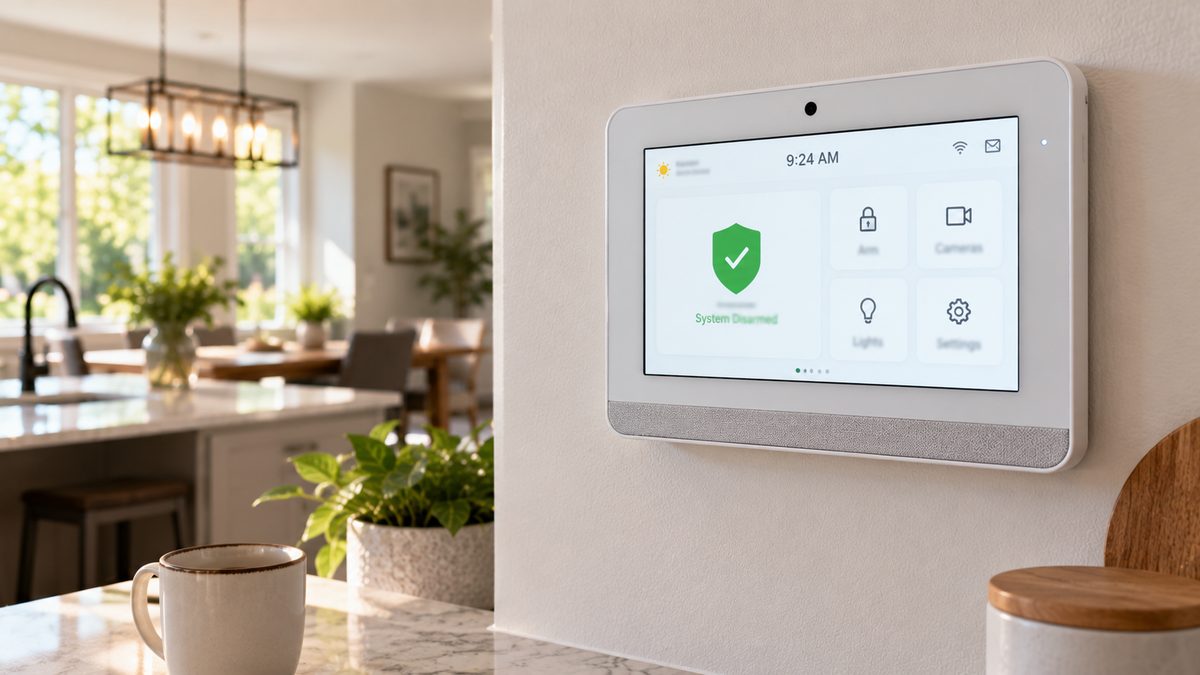
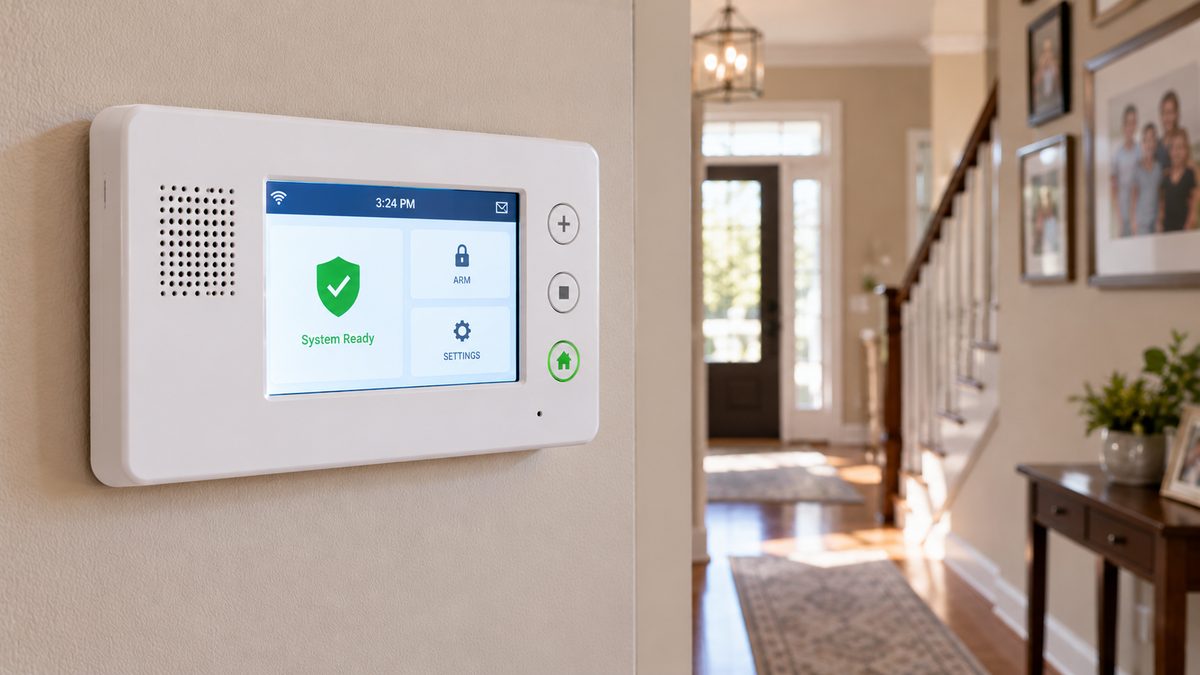
If your alarm panel is white, has a 5-inch colour touchscreen with a speaker grille beside or below it, and physical buttons (Emergency, Home, Away) down one side, it's a 2GIG Go!Control - the GC2 (2010-2017) or its successor the GC3 (2016-2021). 2GIG didn't sell to homeowners; dealers did - Monitronics (rebranded Brinks Home in 2018), Protect America, ADT Pulse dealers, Vivint in its early years, and thousands of local companies. Whoever's sticker is on it, the panel is the same, and so are the fixes.
The three things people need most: the beeping (press Status or tap the alert, read it, then Home), the battery (a NiMH pack behind the back cover, $25-$45), and the cellular radio - because most GC2 panels shipped with a 3G or CDMA module that has had no network since 2022 and shows "Cellular Failure" or "Radio Trouble" forever until it's swapped for an LTE one.
Who to call - two different numbers for two different jobs
Brinks Home (ex-Monitronics): 1-800-447-9239
ADT: 1-800-238-2727 · Vivint: 1-800-216-5232
These are the companies' own lines. We are none of them. If the sticker says a company that no longer exists, your account was probably sold to Brinks Home or ADT - try those.
CompareYourSecurity specialists: ☎ (888) 207-7106
Free second opinion on whether a 2GIG panel is worth keeping, what an LTE radio swap should cost, and which companies take over 2GIG systems.
This is an independent guide - we are not 2GIG, Nortek, Nice, Brinks, ADT or Vivint, and we don't repair or sell alarm panels. Want a straight answer first? ☎ (888) 207-7106 or the free 60-second assessment.
2GIG default installer code, master code, and what each unlocks
Stuck after these steps? Independent help (not Brinks/ADT/Vivint): ☎ (888) 207-7106
| Code | Default | Unlocks |
|---|---|---|
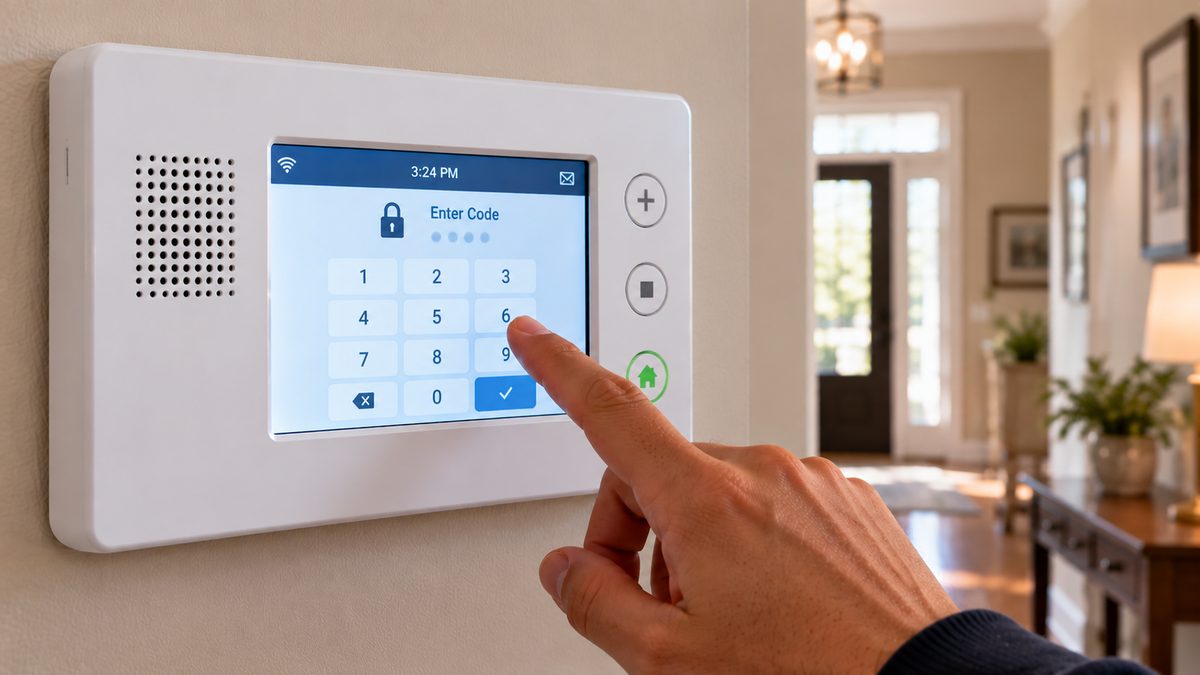
| Master user code | 1111 | Arm/disarm, add and delete user codes, chime, brightness, user settings. (Security → Menu → Toolbox → master code) |
| Installer code | 1561 | Installer Toolbox: sensor programming, system configuration, radio settings, factory reset, "Q" questions. (Security → Menu → Toolbox → installer code, or hold the 2GIG logo on some firmware) |
| Duress code | none | Disarms and silently sends a panic to monitoring. |
Does the default installer code still work? Surprisingly often, yes - many dealers never changed 1561. Try it. If it's been changed and the dealer is gone, you have two routes: a new monitoring company can reset it over the air if the panel still has a working cellular radio and they take over the account, or a factory default wipes everything including the code (and every sensor), after which you re-learn the sensors yourself or with a tech. A GC2/GC3 is not locked to a dealer, so a defaulted panel is fully usable again.
Change the master code if it's still 1111: Security → Menu → Toolbox → (master code) → User Management → Master → edit.
Factory reset (last resort): Toolbox → (installer code) → Installer Toolbox → System Configuration → ... → Default, or power-cycle while holding specific buttons on the GC2 (firmware-dependent). It erases sensors and users. Do it only if you have the sensor list and are prepared to re-enrol them - or if a takeover company is about to do that for you anyway.
Not sure which system you need?
Answer a few quick questions and we'll match you with a top-rated provider for a free, no-obligation quote — or compare our top picks yourself.
2GIG panel beeping: reading and clearing trouble messages
Stuck after these steps? Independent help (not Brinks/ADT/Vivint): ☎ (888) 207-7106
A 2GIG panel beeps once a minute (and announces, if voice is on) when it has a trouble. Press the Status button (GC2) or tap the yellow alert at the top (GC3) to read it, then OK or Home to silence until the next reminder. The usual suspects:
- "AC Power Loss" - the plug-in transformer is unplugged or dead. Find it (outlet near the panel or in a closet; sometimes screwed into the outlet plate), reseat, try another outlet. Transformers do fail after 10+ years - a 14 VAC replacement is $15-$25.
- "Low Battery" (panel) - after an outage, wait 24 hours. Otherwise the NiMH pack is worn out - see below.
- "Sensor [n] Low Battery" - the sensor's own battery: DW10 door/window = CR2032; thin DW20R = CR2; PIR1 motion = CR123A; GB1 glass-break = 2 × CR123A; SMKT3 smoke = 2 × CR123A; KEY2 fob = CR2032. Open, swap, close; clears within an hour.
- "Sensor [n] Loss of Supervision" / "Not Responding" - dead sensor battery or the sensor has fallen off. Battery first.
- "Cellular Failure" / "Radio Trouble" / "Cell Not Registered" - the big one on GC2 panels. See the next section.
- "Tamper" - panel removed from its backplate, or a sensor cover open.
- "Alarm Memory" - not a trouble: an alarm happened while you were out. Disarm again to clear.
Stop the night-time beeping without fixing it yet: Toolbox → master code → Trouble Alerts / Sounds lets you mute trouble beeps on most firmware. The message stays. Alarm actually sounding and your code won't stop it? Pull the transformer and the battery connector - that kills the siren in seconds and erases nothing.
Cellular failure on a 2GIG panel: the 3G shutdown and your options
Stuck after these steps? Independent help (not Brinks/ADT/Vivint): ☎ (888) 207-7106
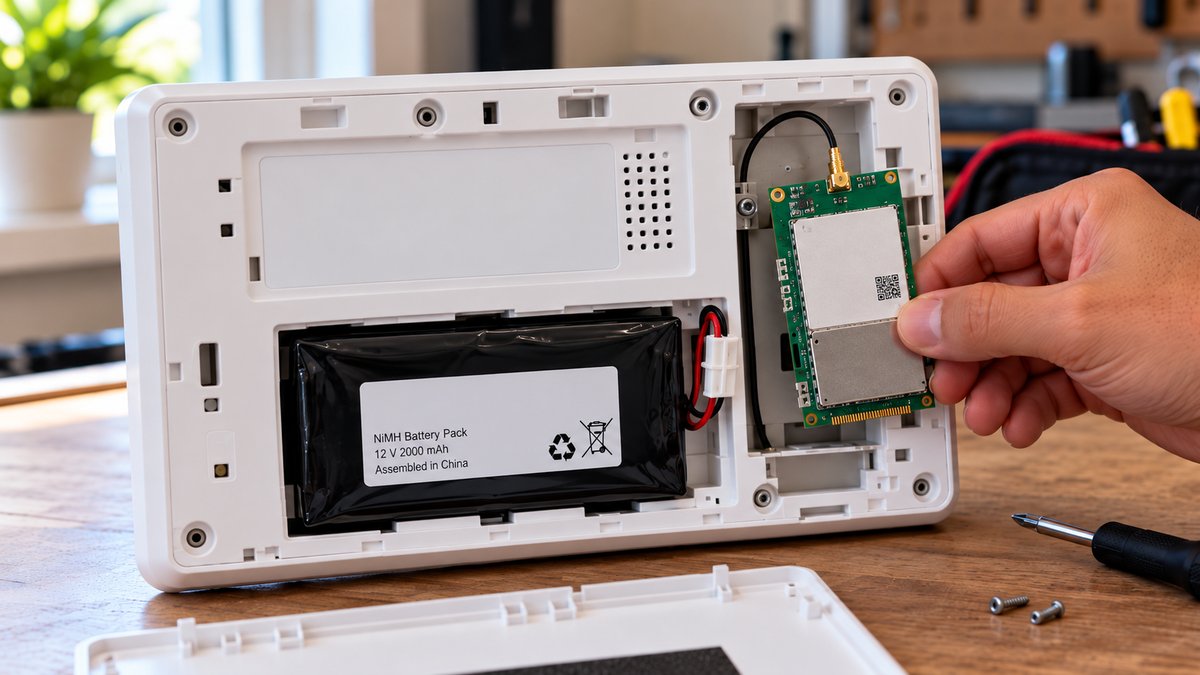
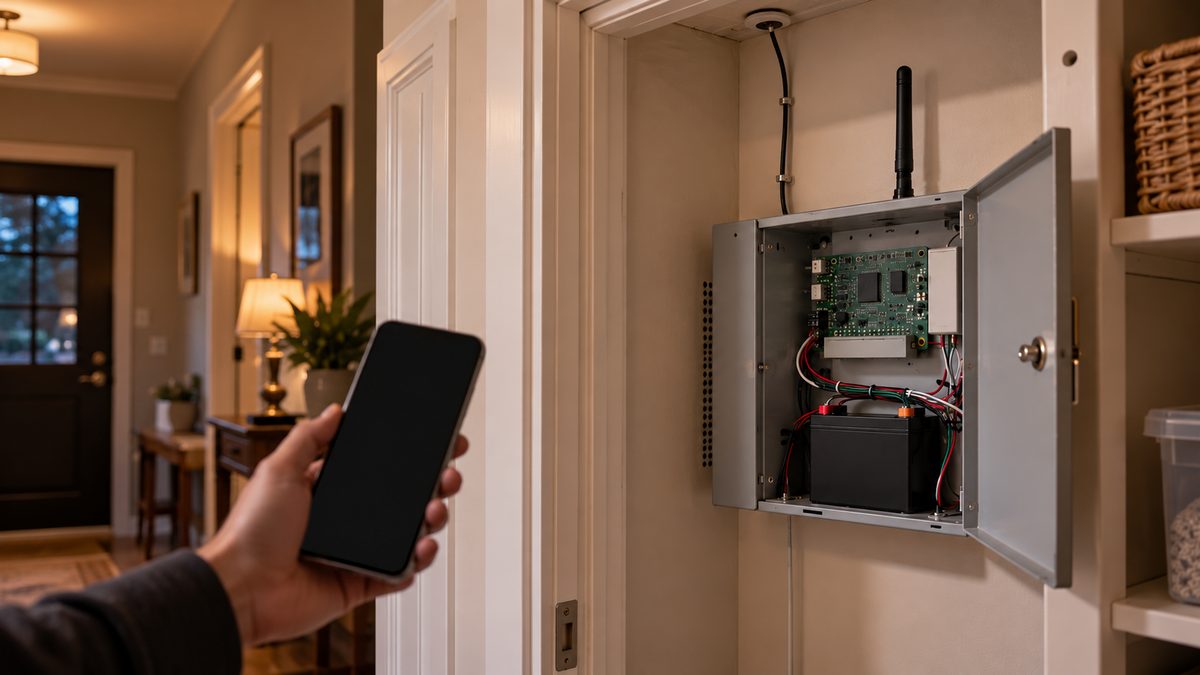
The GC2's cellular radio is a plug-in card under the back cover, and the ones shipped 2010-2016 were 3G (AT&T) or CDMA (Verizon) modules. Those networks were switched off in 2022. A panel still carrying one of those cards will show cellular failure permanently - no reset fixes it, and alarms are not reaching anyone.
Check which card you have: power down (transformer and battery), remove the back cover, and read the label on the small card: anything with "3G", "HSPA", "GSM", "CDMA" or "EVDO" is dead. "LTE", "LTEA", "LTEV", "CAT-M" is current.
Options:
- Swap the card for an LTE module ($80-$150 for the part; a dealer fits and activates it in 20 minutes). GC2 panels take an Alarm.com LTE card (or an Alarm.net one for Honeywell-monitored accounts); GC3 panels have their own LTE modules. This keeps the panel, every sensor and the Alarm.com app.
- Your monitoring company may do it free - Brinks Home and ADT ran 3G sunset programmes. If they quote a fee, ask for a waiver; if they say "the panel needs replacing", that's a sales answer, not a technical one.
- Not monitored and don't want to be - the trouble will never clear. A tech (or you, with the installer code) can disable the cellular reporting path so the panel works as a local siren without complaining.
- Takeover - a new Alarm.com dealer fits their own LTE card and takes the system onto their account: typically $100-$200 up front, $15-$30 a month, no long contract. The 2GIG 345 MHz sensors all come along; so does the Z-Wave gear.
Not sure whether a 12-year-old GC2 is worth $150 of radio? That's exactly the question we answer, independently: ☎ (888) 207-7106. The same 3G story on Honeywell/ADT systems is in ADT cellular failure.
2GIG battery replacement (BATT1X / BATT2X and GC3 packs)
Stuck after these steps? Independent help (not Brinks/ADT/Vivint): ☎ (888) 207-7106
GC2 (Go!Control): a 7.2 V NiMH pack - the standard BATT1X (about 4 hours of backup) or the extended BATT2X (about 24 hours). They're interchangeable; buy the BATT2X if it fits your budget ($30-$45 vs $20-$30). GC3: its own 7.2 V NiMH pack (part number on the old one; $35-$50). Both last 3-5 years. Symptoms of a dead pack: "Low Battery" with power connected, or the panel going dark the moment the lights flicker.
- Put the system on test with your company (or expect a power-loss signal). Disarm.
- Unplug the transformer.
- Lift the panel off its backplate - on the GC2 press the tabs at the top and tilt; on the GC3 push up and pull out. Panel tamper will sound - that's fine, it stops when you reseat it.
- Open the battery compartment on the back, unplug the white connector, lift the pack out.
- Plug in the new pack, seat it, close the compartment, remount the panel, reconnect the transformer. Boot takes about a minute.
- "Low Battery" may show for up to 24 hours while the pack charges.
No code is needed for any of this. If the new battery shows low after a full day, the charging circuit on the board has failed - the panel is at end of life, and the decision is a used GC2 ($60-$100 online, re-learn the sensors) versus a new panel. Independent help with that maths: ☎ (888) 207-7106.
Keeping a 2GIG system when the dealer is gone (or you want to leave)
Stuck after these steps? Independent help (not Brinks/ADT/Vivint): ☎ (888) 207-7106
2GIG is the most takeover-friendly panel ever made, which is why it was installed so widely. What carries over to a new company:
- The panel itself - GC2 and GC3 both work with any Alarm.com dealer (most of them) and, with the right radio, Honeywell AlarmNet dealers.
- All 345 MHz sensors - 2GIG's own, and Honeywell 5800-series sensors, which the GC2/GC3 also receive. That's why old ADT Pulse systems with Honeywell sensors ended up on 2GIG panels, and why they can go back.
- Z-Wave locks, thermostats, lights - re-paired to the new account in minutes.
- Hardwired sensors via the 2GIG TAKE-345 takeover module, if the house had an older wired system first.
What doesn't: Vivint-branded encrypted sensors from Vivint's 2GIG era (Vivint locked some), and the dealer's app login - you get a new Alarm.com login. Expect $100-$200 for the switch (mostly the LTE card if yours is 3G), then $15-$30 a month, and no 36-month contract if you shop for one.
If the panel says Monitronics, Protect America, Pinnacle, Alliance or another name that's vanished, your account most likely lives at Brinks Home now - call them before assuming you're unmonitored. If it says Brinks or ADT and you're thinking of switching, read how to cancel ADT (the fee logic is the same at Brinks), then call ☎ (888) 207-7106 for independent takeover options, or take the 60-second assessment. Have the newer white Brinks touchscreen instead? That's the IQ Panel guide.
Frequently asked questions
What is the default installer code for a 2GIG panel?
1561. The default master code is 1111. Many dealers never changed the installer code, so try it; if it's been changed, a takeover company can reset it over the air or you can factory-default the panel. Still stuck after that? Independent help (not the alarm company) is at (888) 207-7106.
How do I stop my 2GIG panel from beeping?
Press Status (GC2) or tap the alert (GC3), read the trouble, then press OK or Home. It beeps again every few hours until the cause - power, battery, a sensor or the cellular radio - is fixed. Trouble beeps can be muted in the Toolbox sounds settings. Still stuck after that? Independent help (not the alarm company) is at (888) 207-7106.
Why does my 2GIG panel say cellular failure?
Most GC2 panels shipped with 3G or CDMA radio cards whose networks were shut down in 2022. The card must be swapped for an LTE module ($80-$150 plus fitting) by your monitoring company or a takeover company; no reset will clear it.
What battery does a 2GIG Go!Control use?
A 7.2 V NiMH pack: the BATT1X (standard, about 4 hours backup) or BATT2X (extended, about 24 hours). The GC3 uses its own 7.2 V pack. All last 3-5 years and are replaced from the back of the panel without a code.
Can I use a 2GIG panel without a monitoring company?
Yes, as a local alarm - it arms, disarms and sounds the siren. It will show communication troubles unless the reporting path is disabled with the installer code.
Can another company take over my 2GIG system?
Yes - any Alarm.com dealer can take over a GC2 or GC3 with all its 345 MHz sensors and Z-Wave devices, usually for $100-$200 up front and $15-$30 a month.
Who installed 2GIG panels?
Monitronics (now Brinks Home), Protect America, ADT Pulse dealers, Vivint (2010-2014) and thousands of local alarm companies, mostly 2010-2018.
What is the 2GIG DW10 battery?
The DW10-345 door/window sensor takes one CR2032 coin cell. Slide the cover off, swap it, and close; the low-battery message clears within an hour.
How do I contact 2GIG support?
2GIG (now part of Nice) supports dealers, not homeowners - its support line and portal need a dealer account. For a 2GIG panel in your home, your monitoring company is your support; if you have none, a local Alarm.com dealer can service it. Independent advice on which route: ☎ (888) 207-7106.
What is the 2GIG carbon monoxide detector battery and lifespan?
The 2GIG CO3-345 and CO8 CO detectors take two CR123A batteries, and the CO sensing cell has a fixed life of about 7-10 years from manufacture - the detector then reports end-of-life and must be replaced, not re-batteried.
How do I replace the 2GIG key fob battery?
The KEY2-345 fob takes one CR2032 coin cell: pry the case apart at the seam, swap the cell, snap shut. If the fob still doesn't arm after a new battery, it needs re-learning with the installer code.
What are 2GIG equipment codes and voice descriptors?
Equipment codes are the numbers the installer enters to tell the panel what type of sensor is in each zone (e.g. door/window, motion, smoke). Voice descriptors are the words the panel speaks for each zone ("Front Door"). Both live in the Installer Toolbox and are set with the installer code.
What is the 2GIG Edge remote keypad?
A secondary touchscreen keypad for the newer 2GIG Edge panel. GC2 and GC3 panels use the older TS1 and SP1/SP2 secondary keypads instead - they aren't interchangeable.
CompareYourSecurity.com is an independent reviews site and is not affiliated with 2GIG, Nortek, Nice, Alarm.com, Brinks Home, ADT or Vivint. Menu paths and defaults vary by firmware and dealer programming. Put a monitored system on test before working on it. In an emergency, call 911.
Still stuck? Our independent specialists are at ☎ (888) 207-7106, or start with the free assessment.