

The short answer
An ADT sensor low-battery warning means a CR123A, CR2032 or CR2 cell inside that one sensor; open the cover, swap it, close it and clear the trouble. Sensors failing one after another? Independent advice at (888) 207-7106.
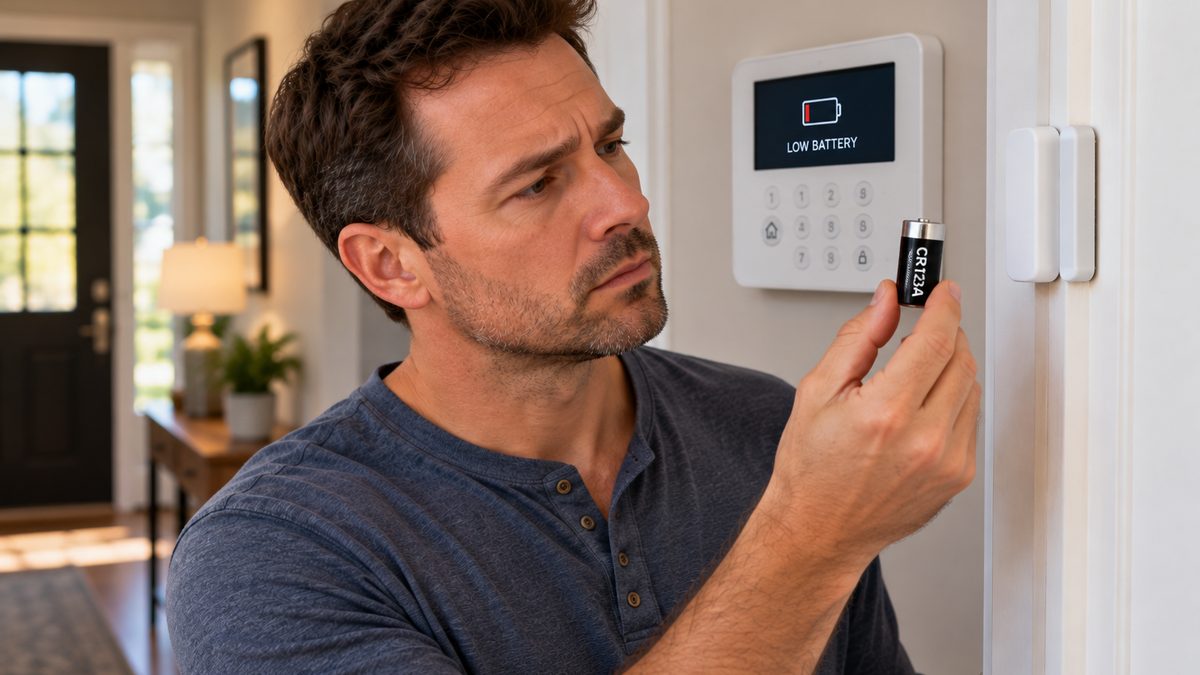
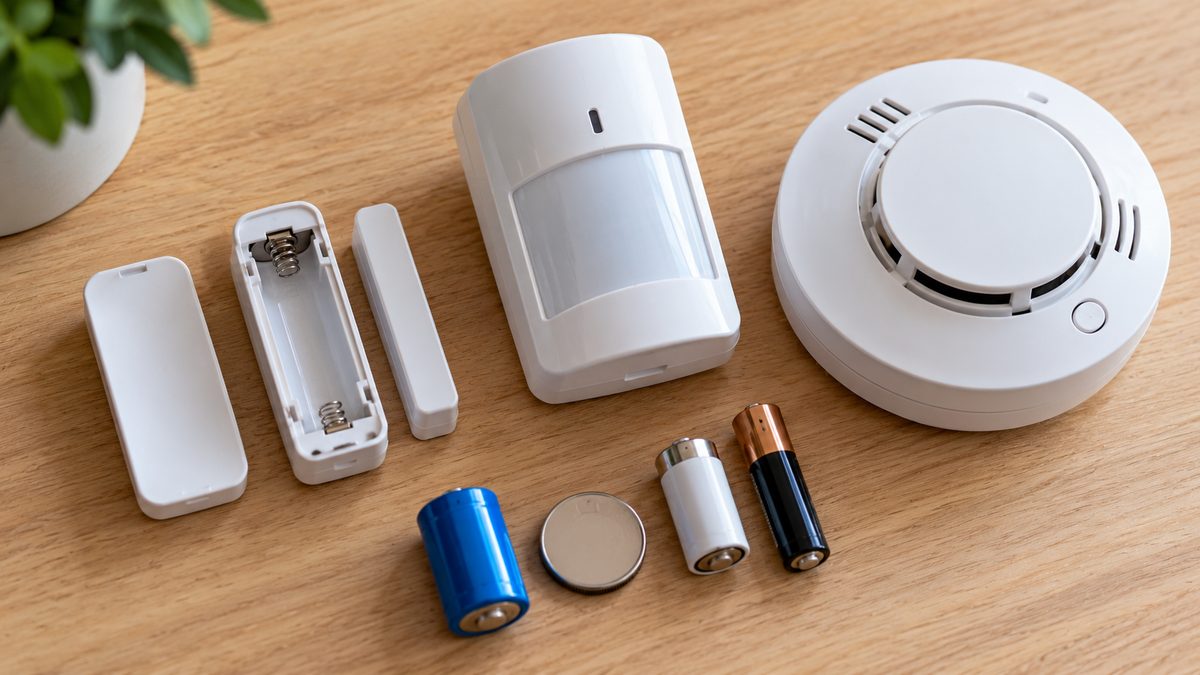
If the low-battery message names a zone ("LOW BAT 03 Front Door", "Sensor Low Battery - Living Room Motion"), it's the small battery inside that one sensor, not the big backup battery in the panel. Nearly every ADT wireless sensor made in the last 25 years takes one of four batteries you can buy anywhere: CR123A (the stubby 3 V camera battery), CR2032 (the coin cell), CR2, or ordinary AA / AAA. Pull the cover, read the battery, swap it, and clear the trouble. Fifteen minutes and a few dollars.
If the message says low battery with no zone name - "SYSTEM LO BAT", "BAT", "Panel Low Battery" - that is the panel's 12 V backup battery, and the ADT battery replacement guide covers it.
Who to call - two different numbers for two different jobs
ADT Customer Service: 1-800-238-2727 (1-800-ADT-ASAP), 24/7
ADT's own line. We are not ADT. Customers on the Quality Service Plan can often have sensor batteries shipped free - ask.
CompareYourSecurity specialists: ☎ (888) 207-7106
Free second opinion on whether it's batteries or the sensors themselves, and what replacing them really costs with or without ADT.
This is an independent guide - we are not ADT, Honeywell, DSC or 2GIG. Battery types below are the manufacturer's standard; the label inside your sensor's cover is the final word. If the whole system is at the "every sensor is failing" stage, call ☎ (888) 207-7106 or take the free assessment.
First: which ADT system do you have? (It decides the battery)
Stuck after these steps? Independent help (not ADT): ☎ (888) 207-7106
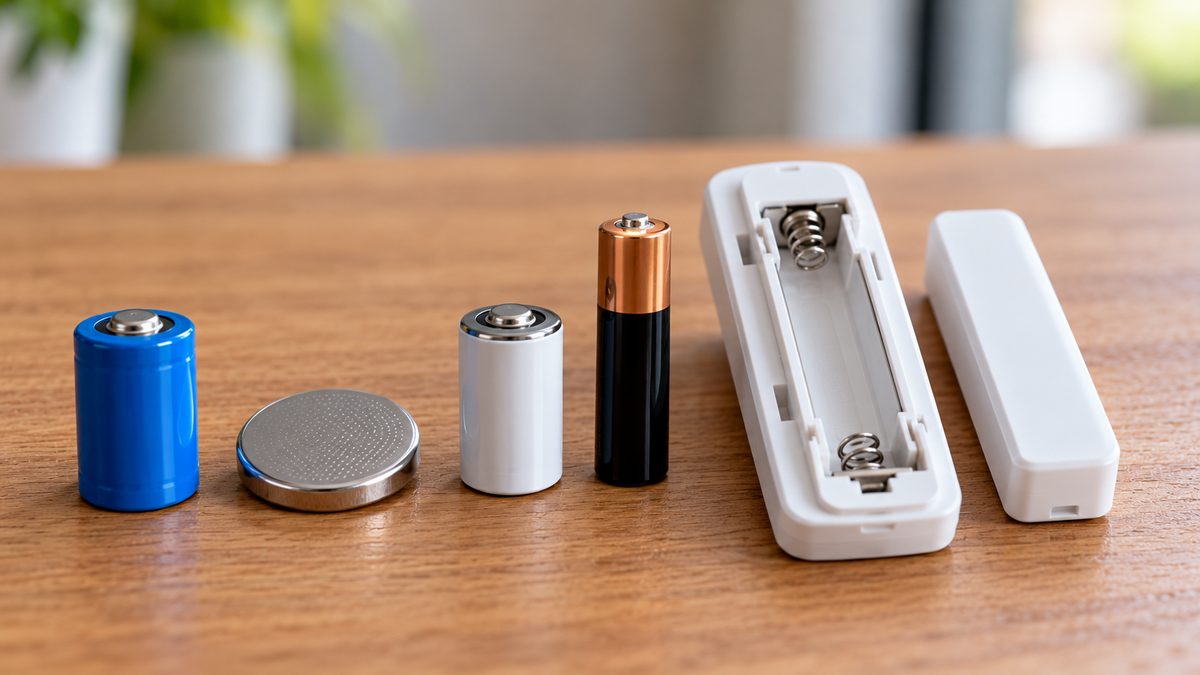
ADT didn't make its sensors; it bought them from four manufacturers over the years, and each family uses different batteries. Look at the sensor itself - the brand is usually moulded into the plastic or on a sticker inside the cover.
- Honeywell / Ademco 5800 series (white, rounded, model numbers like 5816, 5811, 5800PIR, 5853, 5808) - ADT Safewatch Pro, most ADT Pulse installs, 2000-2019. The most common ADT sensor family by far.
- DSC (model numbers starting WS or PG, e.g. WS4945, WS4904, PG9945) - ADT's wireless systems in the late 1990s-2000s and some Pulse installs.
- 2GIG (DW10, PIR1, GB1, SMKT3) - ADT Pulse installs using the 2GIG Go!Control panel, 2011-2018.
- ADT Command (2019 onward; sensors branded ADT, made by Resideo/Honeywell - DW-ADT, PIR-ADT, SIXCT-style)
- Hardwired sensors - if the sensor has a wire going into the wall, it has no battery. A low-battery message with that zone name means the zone is wireless somewhere else, or the panel is mislabelled.
Not sure which system you need?
Answer a few quick questions and we'll match you with a top-rated provider for a free, no-obligation quote — or compare our top picks yourself.
The battery for every ADT sensor type
Stuck after these steps? Independent help (not ADT): ☎ (888) 207-7106
| Sensor | Honeywell 5800 (Safewatch / Pulse) | DSC | 2GIG (Pulse) | ADT Command |
|---|---|---|---|---|
| Door / window contact | 5816: 1 × CR123A 5811 (thin): 1 × CR2032 5815: 1 × CR2 5820L (slim): 1 × CR2 | WS4945 / EV-DW4917: 1 × CR2 or CR123A (check label) PG9975 (slim): 1 × CR2032 | DW10: 1 × CR2032 DW20R recessed: 1 × CR2 | Door/window: 1 × CR2 (most) or CR2032 (mini) |
| Motion detector | 5800PIR / 5800PIR-RES: 2 × CR123A 5890: 2 × CR123A 5894PI (pet): 2 × CR123A | WS4904P: 3 × AAA PG9914 / PG9904: 1 × CR123A | PIR1-345: 1 × CR123A PIR1e: 1 × CR123A | Motion: 1 × CR123A (most) |
| Glass-break detector | 5853: 2 × CR123A 5819 shock: 1 × CR123A | WS4912 / PG9922: 2 × CR123A | GB1-345: 2 × CR123A | Glass-break: 2 × CR123A |
| Smoke / heat detector | 5808W3: 2 × CR123A 5806W3: 2 × CR123A (older 5806: 9 V) | WS4916 / PG9916: 3 × AA or 1 × CR123A (check label) | SMKT3-345: 2 × CR123A | Smoke: 2 × CR123A or 1 × 3 V lithium pack |
| CO detector | 5800CO: 1 × CR123A (sensor has a 6-10 year life; replace the whole unit at end-of-life) | WS4913: 3 × AA | CO3-345: 2 × CR123A | CO: 2 × CR123A |
| Key fob | 5834-4: 1 × CR2032 (older: 2 × CR2016) | WS4939 / PG9939: 1 × CR2032 | KEY2-345: 1 × CR2032 | Fob: 1 × CR2032 |
| Wireless keypad | 5828 / 5828V: 3 × AA (or plug-in) | WT5500: 4 × AA | PAD1-345: 3 × AAA | Secondary touchscreen: internal rechargeable; mains-powered |
| Panic / medical pendant | 5802WXT / 5802MN2: 1 × CR2032 | WS4938: 1 × CR2032 | PANIC1-345: 1 × CR2032 | Pendant: 1 × CR2032 |
| Flood / temp sensor | 5821: 1 × CR123A | WS4985: 1 × CR2032 | FT1-345: 1 × CR2032 | Flood: 1 × CR2 |
The wired keypad by your door has no battery. Vista 6150 and 6160 keypads, DSC PK5500 and the old ADT Safewatch keypads are powered by the panel; if one goes dark, that's a wiring or panel problem, not a battery. The only keypad batteries on an old ADT system are the wireless ones listed above.
Buying: CR123A $1.50-$3 each in 6- and 12-packs (Panasonic, Duracell, Energizer; avoid rechargeable RCR123 - the voltage is wrong), CR2032 and CR2 $1-$2 each. Any hardware store, pharmacy or online. ADT will ship them, but at $20-$30 a sensor unless your plan includes them. Buy lithium, not alkaline, for anything that says 3 V - alkaline AA/AAA is fine where the sensor takes AA/AAA.
How to change an ADT sensor battery without setting off the alarm
Stuck after these steps? Independent help (not ADT): ☎ (888) 207-7106
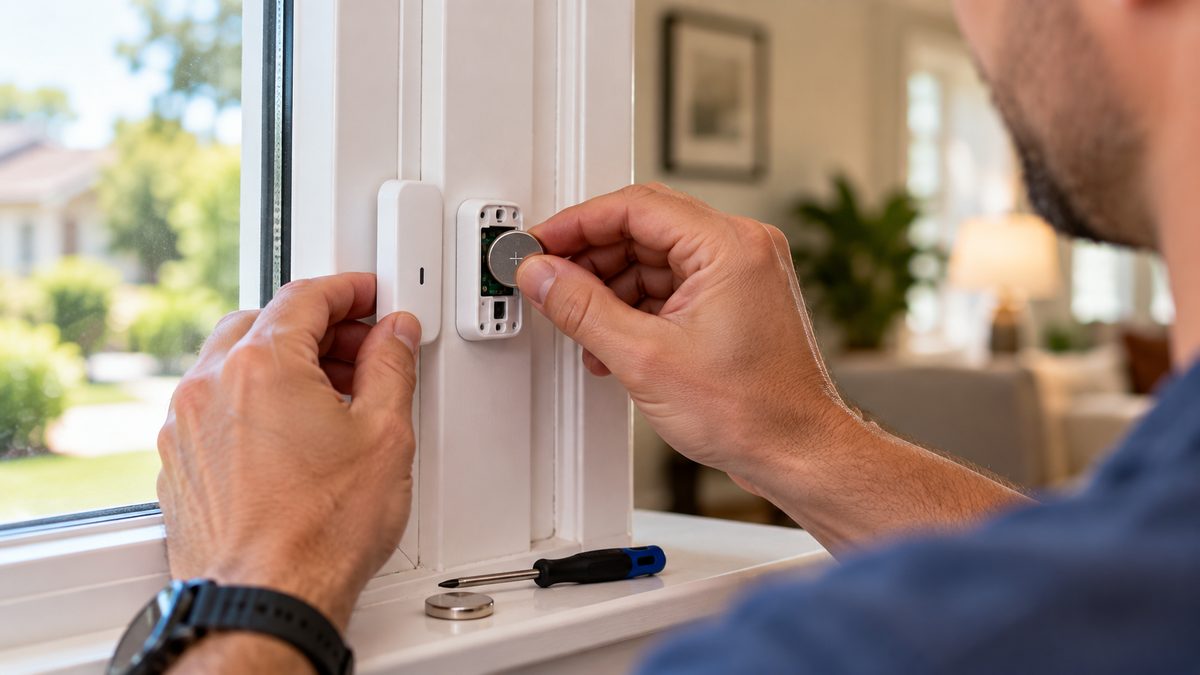
- Disarm the system and, if it's monitored, put it on test (MyADT.com → My Alarm → System Test, or call ADT). Opening a sensor cover trips its tamper switch; disarmed, that's just a chirp, but on some older panels tamper reports even when disarmed.
- Open the cover. Honeywell 5816 and most door sensors: press the tab at one end and slide or hinge the cover off. 5811 thin sensors: pry gently at the seam with a fingernail. Motion detectors: a small screw or a tab at the bottom, then the front swings forward. Smoke detectors: twist the whole head counter-clockwise off its base.
- Note the battery orientation before you pull it - take a phone photo. Lift it out with a fingernail or a plastic pry tool; don't use a metal screwdriver across the terminals.
- Fit the new battery, same way round. On sensors with two batteries, change both.
- Close the cover firmly so the tamper switch presses in. Most panels now show "CHECK" or "TAMPER" for that zone until the cover is seated and the sensor sends its next supervision signal - usually within 1-2 minutes, up to an hour on some 5800-series sensors.
- Clear the trouble. Vista / Safewatch: your code + [1] (OFF), twice. Lynx / Lyric / Pulse touchscreen: tap the trouble banner → Clear. ADT Command: the warning clears itself once the sensor reports in; tap Acknowledge if it lingers. DSC: *2, read, then #.
- Test the sensor. Open the door or wave at the motion - the keypad should show the zone fault (or chime) and clear. Then take the system off test.
Low-battery message still showing an hour later? On Honeywell systems the panel waits for the sensor's next supervision check-in before it believes the new battery, and that can be up to 12 hours on some models. Give it overnight. If it's still there the next day, the sensor itself is suspect - see below.
When "low battery" means the sensor is dying (common on 15-year-old systems)
Stuck after these steps? Independent help (not ADT): ☎ (888) 207-7106
Sensor batteries last three to seven years. Sensors last ten to twenty. On an ADT system from 2005-2012 you are now in the window where both run out together, and these are the signs it's not the battery:
- A fresh battery shows low within days or weeks. The sensor's circuit is drawing too much current - a failing transmitter. Replace the sensor.
- The same sensor goes "CHECK" or "supervision loss" between low-battery warnings. Weak transmitter or the panel's receiver is losing it. Try the battery once; if it recurs, it's the sensor.
- A smoke or CO detector says low battery and is more than 10 years old (CO: 6-7 years). The sensing element has a fixed life and the detector is telling you it's done. Replace the unit; don't keep feeding it batteries.
- Several sensors go low in the same month. Normal if they were all installed together - buy a 12-pack. Not normal if you replaced them recently: check the panel's receiver and whether a new router or LED lighting is sitting next to it.
- The sensor looks fine, battery is new, but the zone never faults when you open the door. The magnet has shifted (doors and windows settle) or the reed switch has failed. Realign the magnet to within half an inch; if that doesn't do it, replace the sensor.
Replacement sensors: Honeywell 5816 door contacts are about $25-$35, 5800PIR motions $50-$70, 5853 glass-breaks $60-$80, 5808W3 smokes $80-$100 - all still made by Resideo and sold online. A sensor must be enrolled in the panel, which needs the installer code on a Vista (ADT's dealers often set it to 6321; if ADT changed it you need ADT or a takeover company) or a few taps on a Lynx / Lyric / 2GIG. ADT Command sensors are encrypted and can only be enrolled by ADT.
When five or more sensors need replacing at once, the honest maths is often a new panel with new sensors ($400-$800 installed from an independent company, re-using whatever still works) rather than $400 of Honeywell parts plus a service call. If you're at that point, a free, no-pressure read on the options: ☎ (888) 207-7106, or take the 60-second assessment. Not sure the sensors are the only problem? The ADT troubleshooting hub covers everything else the panel can complain about.
Frequently asked questions
What battery does an ADT window sensor use?
Most ADT window and door sensors are Honeywell 5816 (one CR123A) or the thin 5811 (one CR2032). 2GIG DW10 sensors on ADT Pulse take a CR2032; ADT Command contacts take a CR2. Open the cover and read the battery to be sure. Still stuck after that? Independent help (not the alarm company) is at (888) 207-7106.
What battery does an ADT motion sensor take?
Honeywell 5800PIR and 5890 motions take two CR123A. DSC WS4904P motions take three AAA. 2GIG PIR1 and ADT Command motions take one CR123A. Still stuck after that? Independent help (not the alarm company) is at (888) 207-7106.
How do I change the battery in an ADT door sensor?
Disarm the system, slide or hinge the cover off, swap the battery the same way round, close the cover, then clear the trouble with your code + OFF twice (Vista) or by tapping the alert on a touchscreen. The low-battery message can take up to a few hours to clear.
Why does my ADT system still say low battery after I changed it?
The panel waits for the sensor's next check-in, which can be up to 12 hours on Honeywell 5800-series sensors. If it's still showing after a day, the sensor is drawing too much current and needs replacing, or the battery was a cheap or wrong-voltage cell.
Will changing a sensor battery set off the ADT alarm?
Not if the system is disarmed; opening the cover trips a tamper that shows as a trouble or chirp. Put the system on test first if it's monitored so ADT doesn't log a tamper event.
How long do ADT sensor batteries last?
Three to five years for door and window contacts, three to seven for motions and glass-breaks, five to ten for smoke detectors. Sensors installed together tend to run low together.
Where can I buy ADT sensor batteries?
Anywhere - they're standard CR123A, CR2032, CR2, AA and AAA cells. Buy lithium for the 3 V types. ADT will ship them, but at a premium unless your service plan includes batteries.
What battery does the ADT keypad take?
Wired keypads (Vista 6150/6160, Safewatch, DSC) have no battery. Wireless keypads take AA or AAA. The ADT Command touchscreen has an internal rechargeable battery that ADT replaces.
Does ADT replace sensor batteries for free?
Customers on ADT's Quality Service Plan can usually get batteries shipped at no charge; others pay for the battery and, if a tech comes out, a service call. Doing it yourself costs a few dollars.
What battery does a door sensor take?
Most wireless door sensors take a CR123A (Honeywell 5816, DSC), a CR2032 coin cell (thin Honeywell 5811, 2GIG DW10) or a CR2 (slim Honeywell 5815/5820L, ADT Command). The battery for a door sensor is printed inside its cover.
How do I replace the battery in a door sensor?
Disarm, slide the cover off (tab at one end), lift the old battery out with a fingernail, fit the new one the same way round, click the cover shut and clear the trouble with your code. The alarm doesn't sound while disarmed; you may see a tamper chirp.
How do I change a motion sensor battery?
Disarm the system, open the detector (small screw or tab at the bottom, then the front swings forward), replace both CR123A cells (Honeywell 5800PIR, 2GIG PIR1) or three AAA (DSC WS4904P), close it and walk in front of it to test. Clear the low-battery message with code + OFF twice.
Which battery does a Honeywell motion sensor use?
Honeywell 5800PIR, 5800PIR-RES, 5890 and 5894PI motions use two CR123A lithium cells; the 5800PIR-COM uses one. Honeywell motion sensor battery replacement takes about two minutes and needs no tools beyond a small screwdriver on some models.
Honeywell door sensor battery replacement: which battery?
5816: one CR123A. 5811: one CR2032. 5815 and 5820L: one CR2. 5817 (three-zone): one CR123A. Open the cover, swap, close.
Why does my alarm system say low battery?
With a zone name it's that sensor's battery; with no zone name it's the panel's 12 V backup battery. An alarm system low battery warning that returns right after a change means the sensor or battery itself is failing.
CompareYourSecurity.com is an independent reviews site and is not affiliated with ADT, Honeywell, Resideo, DSC or 2GIG. Battery types are the manufacturers' standard specifications; always confirm with the label inside the sensor. In an emergency, call 911.
Still stuck? Our independent specialists are at ☎ (888) 207-7106, or start with the free assessment.