


The short answer
To fix a Vivint camera that's offline or says "requires power cycle", cut its power for 20 seconds - breaker for the doorbell, indoor power brick for the outdoor camera - then reboot the panel if it stays grey. Independent help at (888) 207-7106.
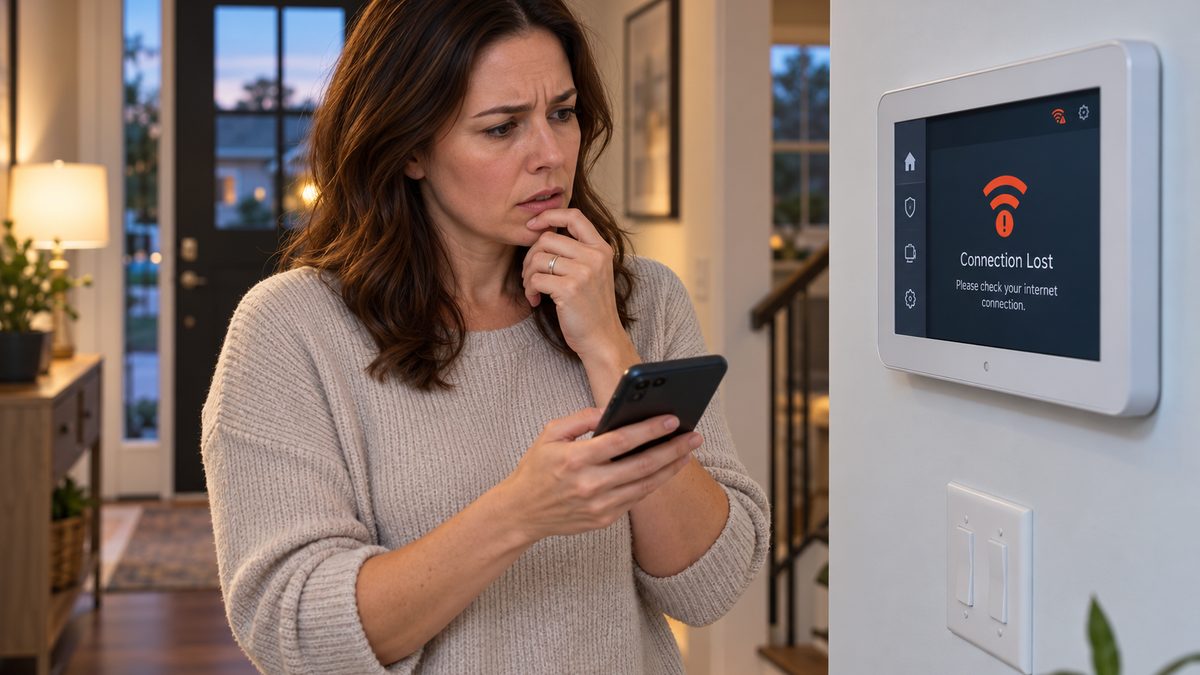
A Vivint camera that shows offline or "requires power cycle" has lost its Wi-Fi link to the panel or the router, and the fix really is to cut its power for 10-20 seconds. Which plug or breaker that means depends on the camera - the doorbell has no plug, the outdoor camera is powered from a brick indoors, the indoor camera is the only one with an obvious cord. Steps for each are below. If the camera comes back and drops again within days, the problem is Wi-Fi coverage at that spot, not the camera.
Deter mode is a feature of the Outdoor Camera Pro, not a fault: when the camera decides a person is lingering rather than passing, it plays a tone and flashes its LED ring to scare them off. If it's going off at the mail carrier or the neighbour's cat, it needs tuning, not disabling.
Who to call - two different numbers for two different jobs
Vivint Customer Care: 1-800-216-5232
Vivint's own line. We are not Vivint and cannot see your account or cameras. Dead cameras are replaced under the equipment warranty; a technician visit may carry a fee.
CompareYourSecurity specialists: ☎ (888) 207-7106
Free second opinion on whether it's the cameras, the Wi-Fi or the plan, and what cameras cost without a Vivint contract.
This is an independent guide - we are not Vivint and don't repair or sell Vivint cameras. If you want to talk it through, call ☎ (888) 207-7106 or take the free 60-second assessment.
How to power cycle each Vivint camera ("requires power cycle" / offline)
Stuck after these steps? Independent help (not Vivint): ☎ (888) 207-7106
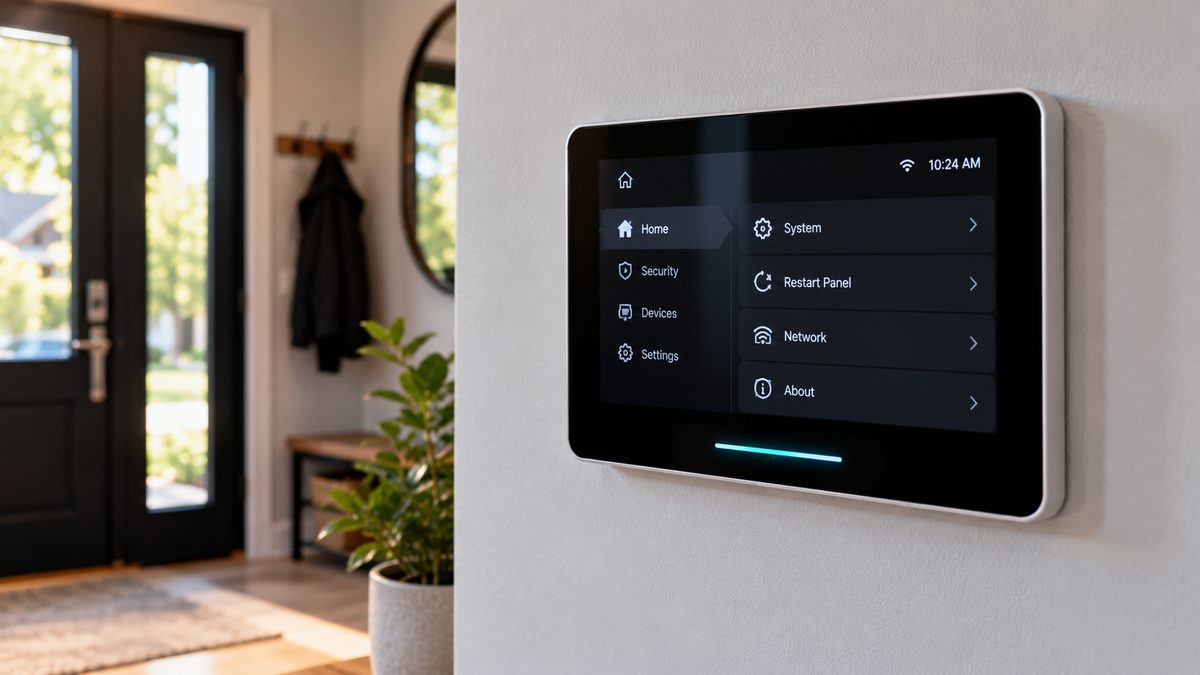
First, rule out the obvious: if every device in the app is offline, the panel has lost internet - reboot the router, then the panel (panel reboot steps). If only one camera is offline, power-cycle that camera:
- Doorbell Camera (Gen 1 and Gen 2 / Pro): there's no plug. Either (a) turn off the breaker for the doorbell transformer for 30 seconds, or (b) remove the doorbell from its mount (small screw underneath, then lift up and off) so it leaves the two contact pins, wait 20 seconds, and refit. Gen 2 doorbells also have a tiny reset pinhole on the back - a 5-second press reboots, a 15-second press factory-resets (don't).
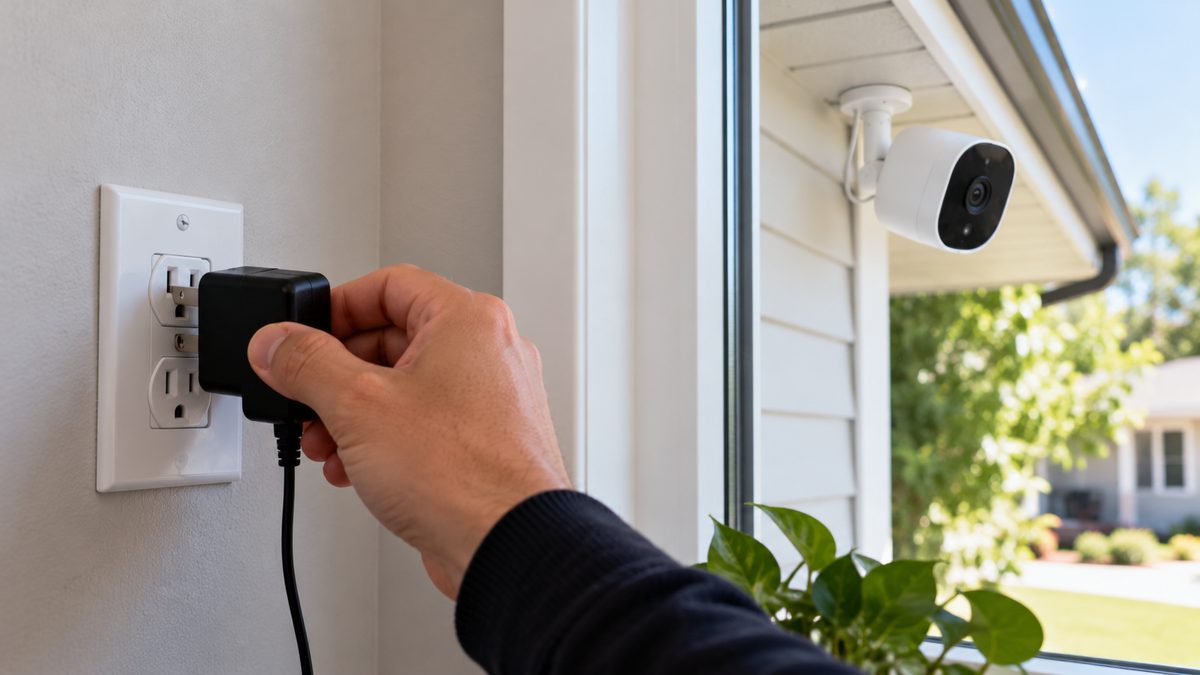
- Outdoor Camera Pro (Gen 1 and Gen 2): powered by a power brick indoors, usually plugged in near where the cable enters (garage, attic, closet, behind the TV). Unplug it for 20 seconds. If you can't find the brick, follow the camera's cable; Gen 2 cameras connected through the Vivint Smart Hub Pro's PoE or a PoE injector are cycled by unplugging the injector.
- Indoor Camera / Ping camera: unplug the USB-C or barrel cable from the back for 20 seconds. The Ping has a reset pinhole on the base - 5 seconds for a reboot.
- Older Vivint V-Cam / Fixed Camera (2012-2016): unplug the camera's own adapter. These Wi-Fi-only cameras drop often on modern routers; see the Wi-Fi section.
After the cycle, the camera's LED goes solid, then blinks while it reconnects (30-90 seconds), then the app tile comes back. Still grey after five minutes? Pull the tile down to refresh, kill and reopen the app, and if that fails reboot the panel - the panel is the camera's bridge to the cloud.
"Requires power cycle" that comes back every few days is the camera losing Wi-Fi and failing to rejoin on its own. It's almost always signal: the camera is at the edge of the house and the router is on the other side, or a new router with a combined 2.4/5 GHz network is confusing an older camera. Fixes in order: move the router or add a mesh node near the camera; give the 2.4 GHz band its own network name (older Vivint cameras are 2.4 GHz only); in the Vivint app, remove and re-add the camera so it joins the new network. Cameras on the Smart Hub Pro's own Wi-Fi or on PoE don't have this problem.
Not sure which system you need?
Answer a few quick questions and we'll match you with a top-rated provider for a free, no-obligation quote — or compare our top picks yourself.
Deter mode on the Vivint Outdoor Camera Pro: what it is and how to tune it
Stuck after these steps? Independent help (not Vivint): ☎ (888) 207-7106
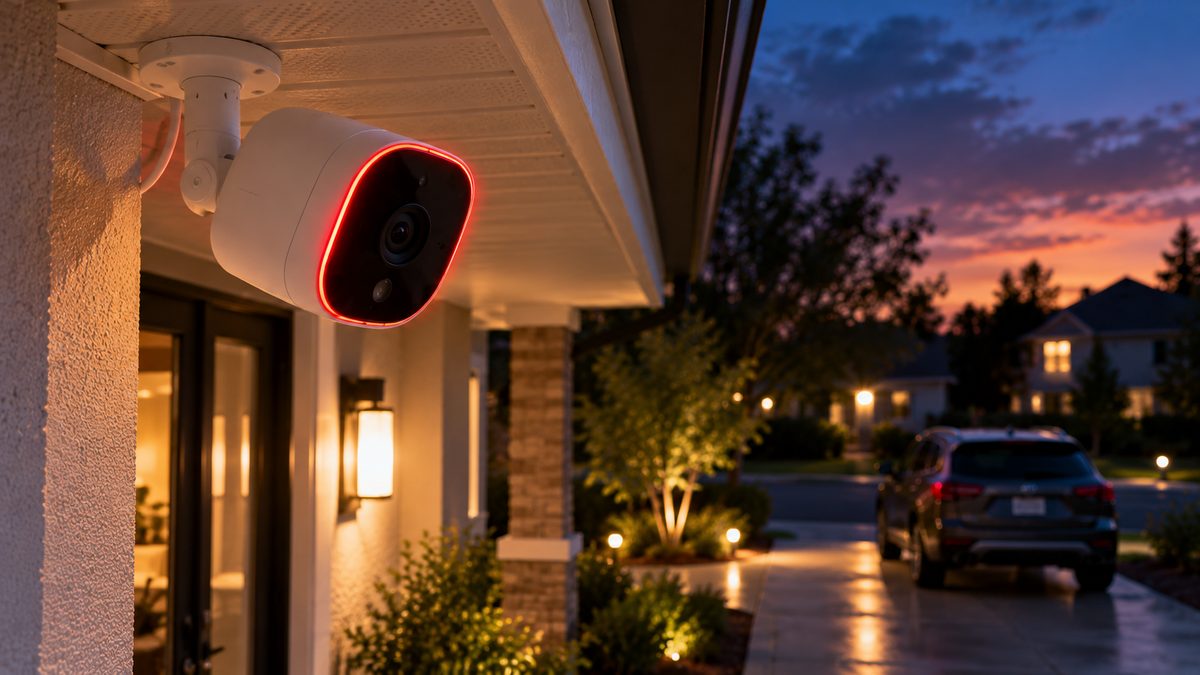
What it does: the Outdoor Camera Pro watches for a person who stays in its zone - standing at a car, walking up and pausing, loitering by a door - for longer than a passer-by would. When it decides someone is lurking, it plays a short whistle / tone, lights its LED ring red, and records a Lurker clip. Vivint calls this Smart Deter. "Deter on" / "Deter off" on the camera tile is simply whether this feature is active.
What it does not do: it does not call Vivint or the police, it does not arm anything, and turning it off does not stop recording. Cars, animals and people walking straight past are supposed to be ignored.
Tuning it (Vivint app → camera → settings gear → Smart Deter):
- Deter on/off - the master switch.
- Sensitivity / lurker time - how long someone must linger before it fires. Raise it if the mail carrier or kids on the drive trigger it.
- Deter zone - draw the area you care about. Pull the zone back from the sidewalk and the neighbour's path; most false deters are a zone that reaches public space.
- Schedule - many people run Deter overnight only.
- Sound and light - some firmware lets you choose tone only, light only, or both.
Deter isn't firing when it should? It needs a reasonably well-lit scene and a person-shaped target within about 30 feet; it won't trigger on a car alone. Check the camera isn't in Privacy mode and that Deter isn't scheduled off. Deter is only on the Outdoor Camera Pro (Gen 1 and Gen 2) - the Doorbell Camera Pro has a related package-watch deter, and indoor cameras don't have it.
Vivint playback not working, clips missing, or "no recordings"
Stuck after these steps? Independent help (not Vivint): ☎ (888) 207-7106
Vivint cameras record in two different ways, and knowing which you have explains most playback problems:
- Event clips (cloud): 20-90-second clips when motion, a person, a lurker or a doorbell press is detected. Stored on Vivint's servers for 14-30 days depending on plan. Every camera plan includes these.
- 24/7 continuous recording (Playback): needs the Vivint Smart Drive (a 1 TB box plugged into the panel) and the Playback add-on. Up to 30 days of continuous video per camera, stored locally in the Smart Drive.
Fixes, in order:
- Update the app and sign out / in. Playback uses a different streaming path from live view and breaks first on old app versions.
- Check the plan. If 24/7 playback used to work and now shows "no recordings", check the Vivint app's Plan page - the Playback add-on may have dropped off after a billing change.
- Power-cycle the Smart Drive (unplug its power and the cable to the panel, 30 seconds). A solid white light is healthy; blinking red means it's rebuilding or failing. Smart Drives are hard drives and do fail after 4-6 years; Vivint replaces them for customers.
- Check camera uptime. A camera that was offline for the hours you're trying to view has no footage - the offline section above applies.
- Check storage and clip limits. Older plans had monthly clip caps; once hit, new events weren't saved. The app shows the cap on the camera's settings page.
- Delete and re-sync. If clips show but won't play, delete a few old ones (Camera → Clips → select → Delete) and reload; a corrupted clip index blocks the whole list on some app versions.
Can you keep the cameras if you leave Vivint? Vivint cameras only stream through the Vivint panel and Vivint's cloud; without service they are paperweights, and the Smart Drive footage becomes inaccessible. If camera reliability is why you're thinking of leaving, that's worth factoring in - independent cameras with local storage cost $60-$200 each with no monthly fee. Options, honestly compared: ☎ (888) 207-7106, or read how to cancel Vivint first. Other symptoms (doorbell chime, removing a doorbell, thermostat, locks) are in the Vivint troubleshooting hub.
Frequently asked questions
What does "requires power cycle" mean on a Vivint camera?
The camera has lost its connection and didn't reconnect on its own; the app is asking you to cut its power for 10-20 seconds. For the doorbell that means the breaker or lifting it off its mount; for the outdoor camera, the indoor power brick; for the indoor camera, its cable. Still stuck after that? Independent help (not the alarm company) is at (888) 207-7106.
How do I power cycle a Vivint doorbell camera?
Turn off the breaker for the doorbell transformer for 30 seconds, or remove the doorbell from its mount (small screw underneath, lift off) for 20 seconds and refit. Gen 2 doorbells also have a reset pinhole - 5 seconds reboots it. Still stuck after that? Independent help (not the alarm company) is at (888) 207-7106.
Why is my Vivint camera offline?
If every device is offline, the panel has lost internet - reboot the router and panel. If one camera is offline, power-cycle it. If it goes offline repeatedly, the Wi-Fi signal at that location is too weak; add a mesh node or separate the 2.4 GHz band.
What is Deter mode on a Vivint camera?
Smart Deter is a feature of the Outdoor Camera Pro: when it detects a person lingering rather than passing, it plays a tone and flashes its red LED ring to scare them off, and saves a Lurker clip. It does not notify Vivint or the police.
What does "deter off" mean on a Vivint camera?
Smart Deter is switched off or scheduled off for that camera. Motion and person recording continue; only the tone-and-light deterrent is disabled.
Why is Vivint playback not working?
24/7 playback needs the Smart Drive and the Playback add-on; check the plan, update the app, power-cycle the Smart Drive, and make sure the camera was online during the period you're trying to view.
How long does Vivint keep recordings?
Event clips are kept in the cloud for 14-30 days depending on plan. Continuous 24/7 footage is stored on the Smart Drive for up to 30 days per camera.
Can I use Vivint cameras without Vivint service?
No. Vivint cameras stream only through the Vivint panel and cloud; without an active plan they stop working and Smart Drive footage is inaccessible.
Why is my Vivint doorbell camera not working?
Usually power or Wi-Fi: the doorbell transformer breaker is off, the doorbell is loose on its mount, or it has dropped off the network. Power-cycle it (breaker or lift it off the mount for 20 seconds), check the Wi-Fi signal at the door, and reboot the panel. A Vivint doorbell camera not working after all three is a warranty swap.
How much does Vivint doorbell repair cost?
For customers under the equipment warranty, a replacement doorbell is free and a technician visit is typically $0-$99 depending on plan. Out of warranty, a new Doorbell Camera Pro is $200-$250 plus installation. Vivint doorbells don't work without Vivint service, so repair only makes sense if you're staying.
How do I delete Vivint video clips?
In the Vivint app: Cameras → Clips (or the camera's timeline) → select one or more clips → Delete. Deleting old clips also frees the monthly clip allowance on older plans. Continuous Smart Drive footage overwrites itself and can't be deleted individually.
Can I turn Deter mode on or off from the app?
Yes - the Deter on / Deter off toggle is on the Outdoor Camera Pro's tile and under its settings, along with sensitivity, zone and schedule. Deter mode on Vivint cameras is per camera, so set each one.
How do I reboot a Vivint camera from the panel?
On the Smart Hub tap the camera tile, open its settings (gear icon) and choose Reboot or Restart Camera if your firmware offers it. If the option isn't there, or the camera is unresponsive, cut its power for 20 seconds instead - that works on every Vivint camera.
Why does my Vivint camera keep going offline?
Repeated offline or "requires power cycle" messages mean weak Wi-Fi at the camera's location, or an older 2.4 GHz-only camera confused by a combined-band router. Add a mesh node near the camera, give the 2.4 GHz band its own name, then remove and re-add the camera in the app.
How do I reset the detection zone on a Vivint camera?
In the Vivint app open the camera, tap the settings gear, then Motion or Smart Detection, and redraw the detection zone by dragging the box corners. Pull the zone back from the sidewalk and street to stop false alerts. Deter has its own zone on the Outdoor Camera Pro.
CompareYourSecurity.com is an independent reviews site and is not affiliated with Vivint. App menus and features vary by camera generation and firmware. Turn off power at the breaker before touching doorbell wiring. In an emergency, call 911.
Still stuck? Our independent specialists are at ☎ (888) 207-7106, or start with the free assessment.