
The short answer
To reboot a Vivint panel without a code, unplug the power adapter and the battery for 60 seconds; a factory reset needs the installer code and wipes the panel. Inherited a panel or told you need a new contract? Independent advice at (888) 207-7106.
Nine times out of ten a Vivint panel problem is fixed by a reboot, and a reboot does not need any code - just unplug the power adapter and pull the battery for a minute. A reset is different: a factory reset wipes the panel's programming, needs the installer code, and is almost never what you want, because the panel only becomes useful again when Vivint (or a takeover company) re-provisions it. The steps below cover both panels Vivint has installed since 2012.
Who to call - two different numbers for two different jobs
Vivint Customer Care: 1-800-216-5232
Vivint's own line. We are not Vivint and cannot access your account. Vivint can often reboot the panel remotely - ask before anything else.
CompareYourSecurity specialists: ☎ (888) 207-7106
Free second opinion on whether the panel is worth fixing, what a replacement should cost, and which companies will take over Vivint equipment.
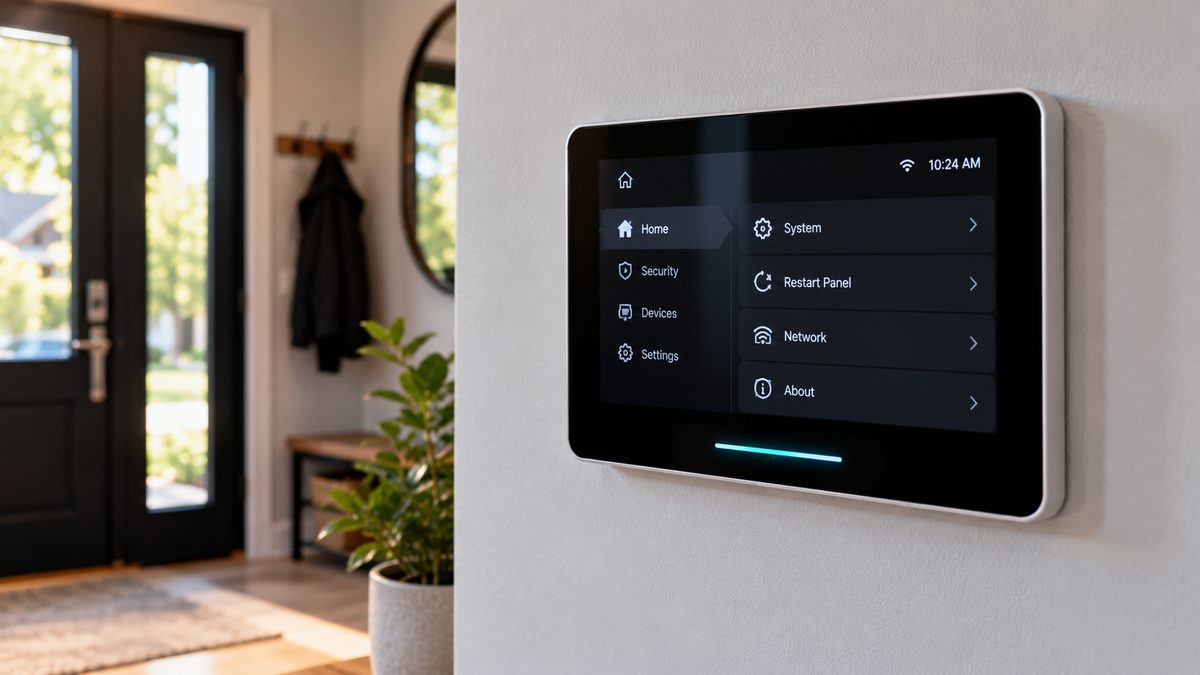
Which panel do you have? Sky Control (2012-2018): a 7-inch black touchscreen with a physical home button below the screen and a small camera dot above. Smart Hub (2018 onward) and Smart Hub Pro: a thinner, edge-to-edge screen, no physical button, a glowing bar or ring along the bottom edge. Some 2010-2012 systems used a 2GIG Go!Control panel (white, with a speaker grille and buttons each side) - that one is covered in our 2GIG panel guide.
This is an independent guide - we are not Vivint or 2GIG and don't repair Vivint equipment. Want a straight answer first? ☎ (888) 207-7106 or the free 60-second assessment.
How to reboot a Vivint panel (soft and hard)
Stuck after these steps? Independent help (not Vivint): ☎ (888) 207-7106
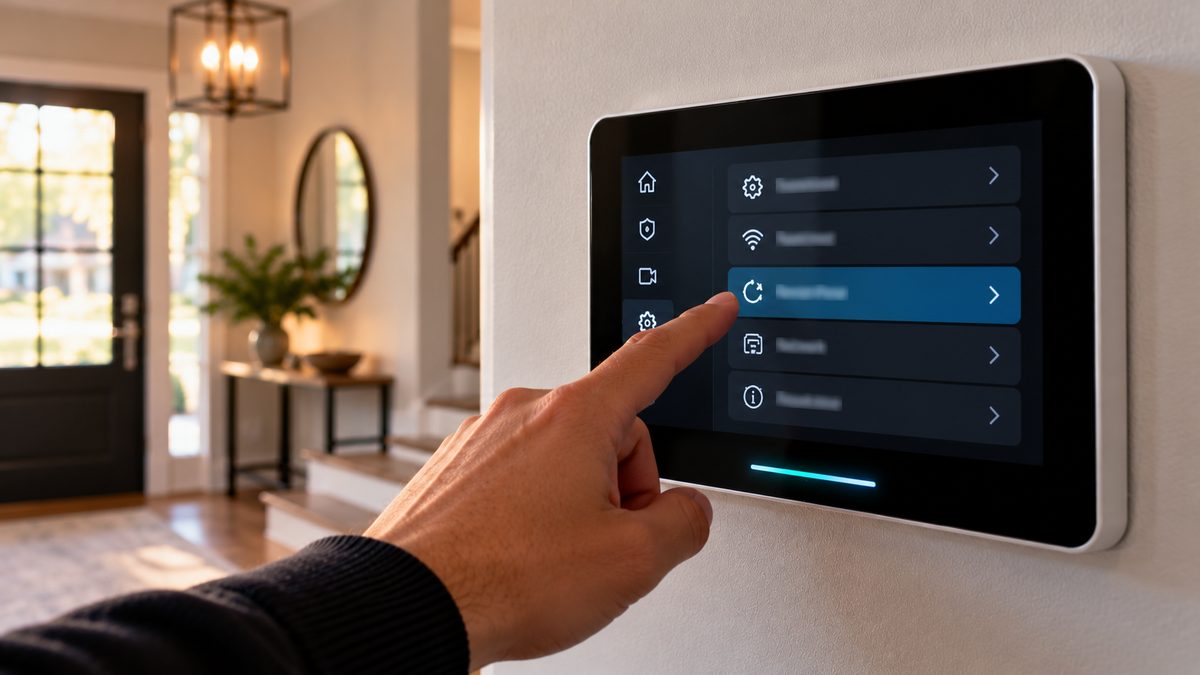
Soft reboot from the screen (panel still responds):
- Smart Hub / Smart Hub Pro: tap the menu icon (three lines, bottom-left or top-right depending on firmware) → Settings → enter your 4-digit PIN → scroll to Reboot Panel (sometimes under General or Advanced) → confirm. The screen goes dark for 1-3 minutes and comes back to the home screen.
- Sky Control: tap Menu → Settings → enter your PIN → Tools (or System) → Reboot Panel.
- From the app: newer Smart Hubs can be rebooted from the Vivint app under Devices → Panel → Reboot, and Vivint support can do it remotely on any panel that's online.
Hard reboot / power cycle (frozen screen, black screen, or you don't know the PIN):
- Find the power adapter - a small black block plugged into an outlet near the panel (often behind furniture or in a closet) with a thin cable running up the wall. Unplug it.
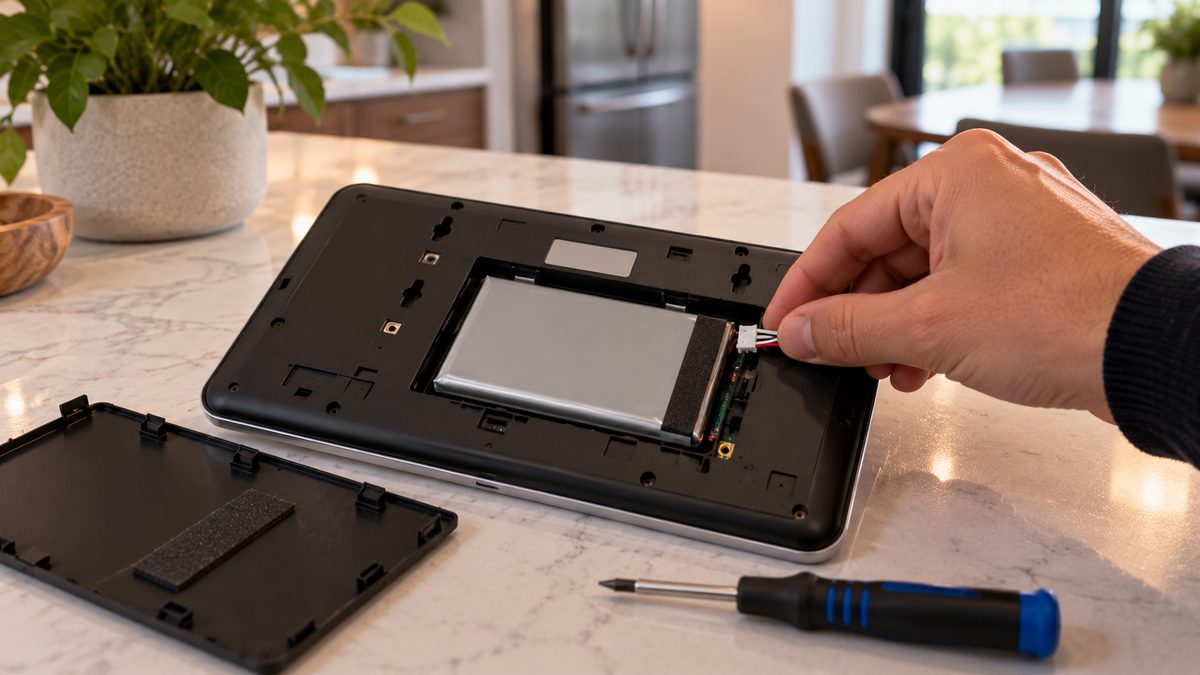
- Remove the backup battery. Smart Hub: slide or lift the panel off its wall bracket (push up, then pull the bottom out), flip it over, open the battery door and unplug the small white connector. Sky Control: the battery is behind the back cover; remove the cover screw, open, unplug the connector.
- Wait 60 seconds. Hold the home button (Sky) or tap the screen a few times to drain any residual charge.
- Reconnect the battery first, then the adapter. Mount the panel. Boot takes 2-4 minutes; the first thing you'll see is the Vivint logo, then a message that it's connecting to the network.
A hard reboot does not erase anything - users, sensors, schedules and your monitoring connection all survive. If it's monitored, Vivint receives a "panel power loss" signal; that's normal and clears when it boots. (If the panel keeps rebooting on its own, skip to the won't-charge section - that's a power problem, not a software one.)
Not sure which system you need?
Answer a few quick questions and we'll match you with a top-rated provider for a free, no-obligation quote — or compare our top picks yourself.
How to reset a Vivint panel without a code (and what you can and can't do)
Stuck after these steps? Independent help (not Vivint): ☎ (888) 207-7106
People ask this in three situations, and the answer is different for each:
1. "I forgot my PIN and the panel is locked / beeping." You cannot reset the user PIN from the panel without another admin PIN. The power cycle above will stop a stuck alarm and reboot the panel, but the PIN survives. Call Vivint: after verifying your identity (account number, verbal password) they can reset the master PIN remotely in minutes. Not a Vivint customer any more? A takeover company can re-provision the panel and set new codes once they take it over.
2. "I bought a house / a used panel and there's no code." The panel is still provisioned to the previous owner's Vivint account. Even a factory reset leaves it a brick until a dealer loads it, because Vivint panels are locked to Vivint's platform. Your realistic options: sign up with Vivint (they'll re-provision it, possibly with a new contract), or replace the panel - the sensors are mostly 2GIG/345 MHz or Vivint-encrypted, and the 345 MHz ones can be re-learned to a Qolsys or 2GIG panel by an independent company, so you're not starting from zero.
3. "I want to factory reset it." Smart Hub: Settings → (installer code) → Advanced → Factory Reset. Sky Control: Settings → (installer code) → Tools → Reset Panel to Factory Defaults. Both require the installer code, and both wipe every sensor and setting. Vivint's default installer code has been widely reported as 2203, but Vivint changes it on most installs and a factory reset without re-provisioning leaves you with a panel that does nothing. Do this only if a technician has told you to.
The useful "reset" that doesn't need a code is the power cycle in the previous section. If that doesn't fix the behaviour, the problem is hardware (battery, adapter, screen) or account-side, and a reset won't help. Honest read on which, and what it should cost: ☎ (888) 207-7106.
Vivint panel won't charge, says "panel battery low", or reboots on its own
Stuck after these steps? Independent help (not Vivint): ☎ (888) 207-7106
These three complaints are the same fault wearing different hats: the panel isn't getting steady power.
- Adapter unplugged or dead. The adapter is the number-one culprit - it lives behind a dresser and gets knocked out, or the outlet is on a switch, or the adapter itself has failed (they run warm for a decade). Find it, make sure it's seated, try a different outlet. A Smart Hub shows a plug icon with a line through it or "AC power loss" when it's running on battery.
- Battery pack worn out. Vivint panel batteries are lithium packs good for about 3-5 years. A worn pack charges to "full", drains in minutes when the power blips, and triggers "panel battery low" or a reboot every time the fridge compressor kicks in. If the warning comes back within a day of a full charge, the pack is done. Replacement packs are $25-$50; Vivint supplies them under warranty for customers.
- Cable damage. The thin cable from adapter to panel runs inside the wall or along the trim and gets stapled, chewed or kinked. Wiggle it at the panel end while watching the power icon.
- Loose battery connector. After any panel removal the small white connector can be half-seated. Open the battery door and press it home.
"Panel reboots on its own" specifically: if it reboots at the same times each day, it's usually a scheduled firmware update (normal, once every few weeks). If it reboots randomly, it's power - do the adapter and battery checks above. If power is good and it still reboots, the panel's board is failing; Vivint will replace it under warranty for customers, and for anyone else a replacement panel is the only fix.
Changing the battery: remove the panel from its bracket, open the battery door, unplug the white connector, plug in the new pack, close, remount. No code needed. Expect "battery low" to show for a few hours while it charges.
At the "Vivint wants $200 for a battery visit" or "new panel means a new 60-month contract" stage? A free, independent read on alternatives - including monitoring the existing sensors on a different panel - is one call: ☎ (888) 207-7106. Other panel symptoms (green light, offline, sensors not responding) are in the Vivint troubleshooting hub.
Vivint installer code vs master code: what each one does
Stuck after these steps? Independent help (not Vivint): ☎ (888) 207-7106
| Code | What it unlocks | Who has it |
|---|---|---|
| User PIN (4 digits) | Arm, disarm, silence troubles, basic settings. Up to dozens of users, each with their own. | You. Change it in Settings → Users. |
| Master / admin PIN | Everything a user can do, plus adding and deleting users, Wi-Fi, device names, reboot. | You - it's the first PIN set at install, often 1111 or the last four of the account phone until you change it. Vivint can reset it remotely. |
| Installer code | Adding/removing sensors, panel programming, factory reset, communication settings. | Vivint's technicians. Default is widely reported as 2203; usually changed. Vivint does not give it to customers. |
| Duress PIN | Disarms the panel and silently sends a panic signal to monitoring. | You, if set up. Keep it secret from everyone in the house. |
Why you'd want the installer code: to add a sensor you bought yourself, or to stop the panel reporting to Vivint after you've cancelled. The first is simpler through Vivint (or a takeover company). The second matters: a cancelled Vivint panel that still tries to report will show communication troubles forever. A takeover company either re-points it to their own monitoring or disables reporting - and either way they bring their own installer access.
Leaving Vivint and want to know what the panel is worth keeping? Read how to cancel Vivint, then call ☎ (888) 207-7106 for the equipment side - independent, no system pushed - or take the 60-second assessment.
Frequently asked questions
How do I reboot my Vivint panel?
Smart Hub: Menu → Settings → PIN → Reboot Panel. Sky Control: Menu → Settings → PIN → Tools → Reboot. If the screen is frozen, unplug the power adapter, unplug the battery connector for 60 seconds, then reconnect battery then adapter. Still stuck after that? Independent help (not the alarm company) is at (888) 207-7106.
How do I reset a Vivint panel without a code?
You can power-cycle it without any code (adapter and battery out for a minute), which fixes most problems and keeps all settings. A factory reset needs the installer code and wipes the panel, and a reset panel only works again once Vivint or a takeover company re-provisions it. Still stuck after that? Independent help (not the alarm company) is at (888) 207-7106.
What is the Vivint installer code?
Vivint's default installer code has been widely reported as 2203, but Vivint changes it on most systems and does not give it to customers. The master PIN (often 1111 at install) is what customers use for settings.
Why does my Vivint panel keep rebooting?
Random reboots are a power problem: unplugged or failed adapter, a worn battery pack, or a damaged cable. Reboots at the same time each day are scheduled firmware updates and are normal.
Why won't my Vivint panel charge?
Check the power adapter is plugged in and the outlet is live, then the cable and the battery connector. If "panel battery low" returns within a day of charging, the lithium pack (3-5 year life) needs replacing.
How do I change the battery in a Vivint panel?
Lift the panel off its wall bracket, open the battery door on the back, unplug the white connector, plug in the new pack, close and remount. No code is needed; the low-battery warning clears after a few hours of charging.
Can I use a Vivint panel without Vivint service?
It will arm, disarm and sound the siren locally, but app control, automation and monitoring stop, and it will show communication troubles. A takeover company can monitor the sensors on a different panel; Vivint panels themselves are locked to Vivint.
What does the green light on a Vivint panel mean?
On a Smart Hub the light bar shows status: green usually means disarmed and ready, red armed, yellow a trouble. Firmware varies; tap the bar or the status icon to read the exact message.
What is the Vivint 2GIG panel?
Before Sky Control, Vivint (then APX) installed the 2GIG Go!Control panel - white, with a speaker grille and side buttons. It's not locked to Vivint and can be taken over by any Alarm.com dealer. Full guide: 2GIG panel guide.
How does Vivint panel activation work?
A Vivint technician (or support, remotely) provisions the Smart Hub to your account: the panel downloads its configuration and sensor list over cellular. A panel that hasn't been activated, or whose account was closed, shows a setup or "contact Vivint" screen and can't be activated by the homeowner.
What is the Vivint Smart Hub?
Vivint's touchscreen panel since 2018: a 7-inch screen with a light bar, cellular and Wi-Fi radios, Z-Wave for locks and thermostats, and a built-in camera. The Smart Hub Pro adds PoE camera ports. Its predecessor was the Sky Control panel.
CompareYourSecurity.com is an independent reviews site and is not affiliated with Vivint or 2GIG. Menu paths vary by firmware version. Put a monitored system on test before removing power. In an emergency, call 911.
Still stuck? Our independent specialists are at ☎ (888) 207-7106, or start with the free assessment.